Affiliate Test Order Reconciliation: 7 Ecommerce Checks
Use this affiliate test order reconciliation checklist for ecommerce affiliate tests: verify clicks, orders, commissions, refunds, and launch evidence.
On this page (6)
What Should You Compare Before Choosing?
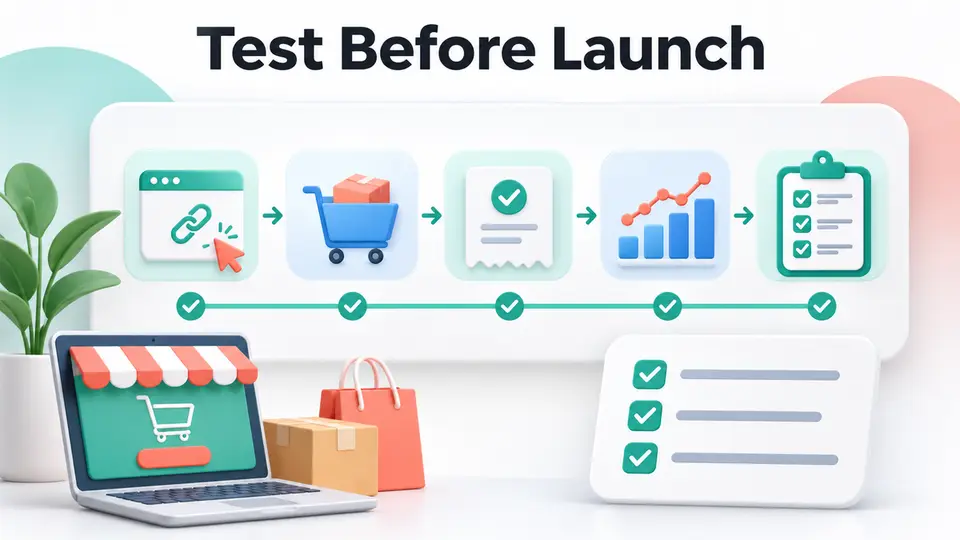
An affiliate test order reconciliation checklist is complete only when the team can trace a test click to the right order, expected commission, status changes, and final evidence. A checkout that succeeds does not prove tracking worked. Use these seven ecommerce checks before launch, after a tracking change, or when a vendor integration needs validation.
Quick answer: This affiliate test order reconciliation checklist records the expected publisher, link, order reference, commission rule, and cleanup action. Then verify click capture, conversion identity, commission math, lifecycle updates, and refund behavior where live orders will be reconciled.
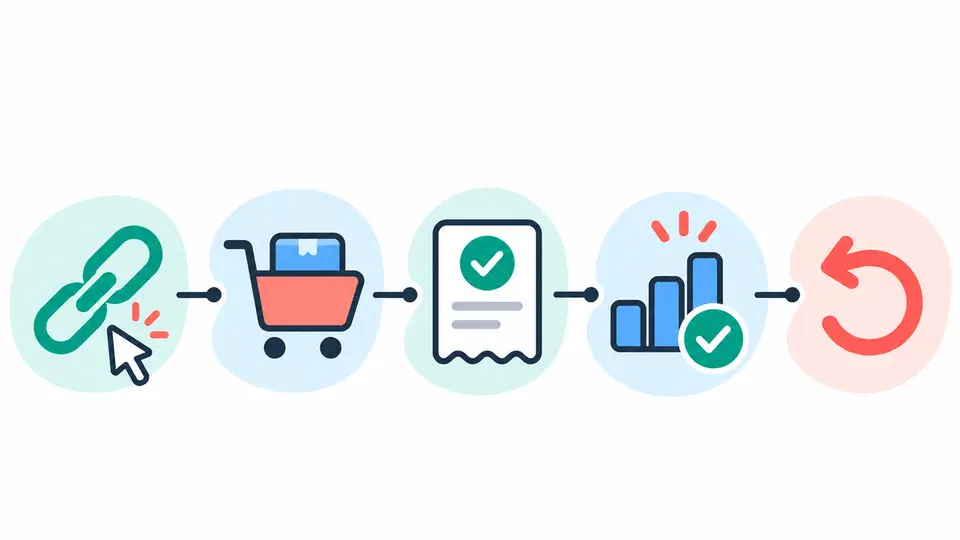
| Check | Evidence to keep | Why it matters |
|---|---|---|
| 1. Define a test case | Unique test ID and expected result | Gives the team one unambiguous reference |
| 2. Start from an eligible link | Publisher, URL, click time, browser | Confirms the path that should receive credit |
| 3. Use an approved test order | Order reference, product, currency | Prevents a policy violation or uncontrolled purchase |
| 4. Find the conversion | Click and order records | Confirms tracking joined the correct events |
| 5. Recalculate the commission | Rate, base, exclusions, amount | Catches category or discount errors |
| 6. Check status and reversal | Pending, approval, cancellation, refund | Verifies downstream lifecycle behavior |
| 7. Close out the evidence | Export, owner, cleanup, pass or fail | Makes the result auditable and safe to repeat |
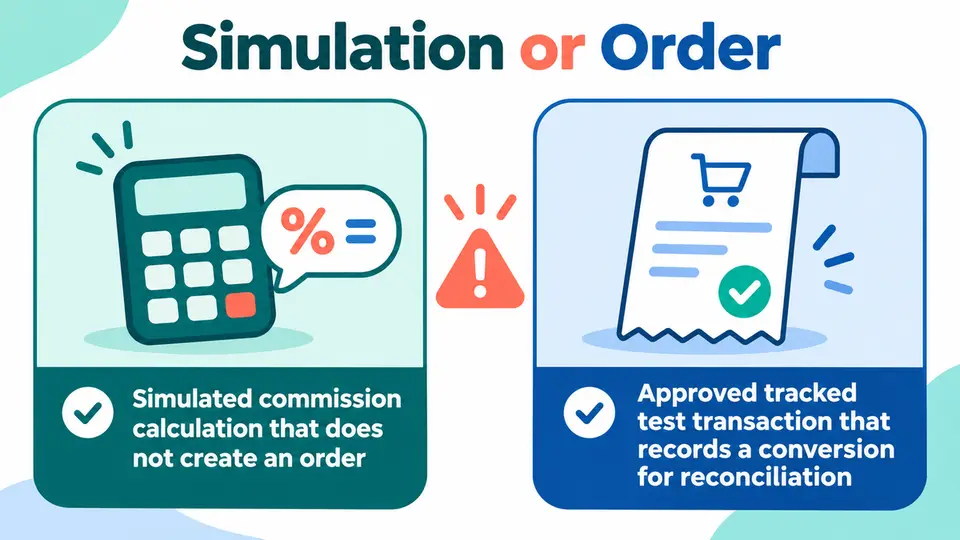
Decide whether to simulate or place an order
A commission simulator can confirm arithmetic without testing the shopper journey. It can help validate a rate calculation against an order value, but it cannot prove that a publisher click reached checkout or that the transaction was recorded.
An actual test order exercises more of the integration, but it can create a real transaction, commission record, charge, or refund. Confirm the vendor's recommended method and your own program policy first. Awin Classic and Refersion offer examples of vendor-specific workflows, not universal instructions for every affiliate platform.
Run the affiliate test order reconciliation checklist
1. Define the expected result before testing
Give the test a unique reference such as QA-2026-11-08-01, and record the expected publisher, program, product, order amount, currency, commission group, and result. Write down whether the order should create a click, a pending conversion, an approval, or a later reversal. Keep test identifiers separate from normal customer notes where possible.
This small plan prevents a common reconciliation problem: the team finds a transaction but cannot tell whether it belongs to the test, a customer, or a duplicate attempt. A test case should also name who owns cleanup and when the order can be canceled or refunded. If the vendor uses a simulation tool, record that the result checks commission math only.
2. Start from the approved publisher link
Use the link and account that match the intended production setup. Record the publisher ID, campaign or sub-ID, landing URL, browser, device, and click time. Avoid silently switching to a direct product URL or a different browser after the click, because that can bypass the route the test is supposed to validate.
Use a browser session that allows the program's tracking method. Refersion advises using Chrome Incognito with tracking blockers disabled for its test, and says Safari Private Browsing is not suitable for that flow. That is vendor-specific guidance, not a general browser rule. If your privacy controls block the test pixel or cookie, document the setting instead of interpreting a missing conversion as a platform defect.
3. Create only an approved test order
Choose a test product, low-risk order, or approved discount method that follows the merchant's and affiliate platform's policies. Some integrations use a dedicated test mode, while others require a real order that will later be canceled or refunded. Confirm who pays any charge, whether tax or shipping applies, and whether a test commission can enter the normal approval or payout queue.
Do not create repeated orders until you know how the first one appears. Avoid using an employee's or affiliate owner's account for a live purchase unless the program rules and platform owner expressly permit it. If the vendor documents a specific test path, follow that path rather than substituting an unapproved coupon or synthetic order.
4. Match the click to the conversion
Search the tracking dashboard by the unique order reference and compare it with the test plan. Confirm the publisher, program, product or SKU, click identifier, order timestamp, currency, and conversion status. If the system shows a warning, missing parameter, or critical tracking issue, save that exact result before changing the setup.
Awin's Tracking Diagnosis guide for Awin Classic lets an advertiser make a test purchase through a test publisher link, search by order reference, and review outcomes such as Tracked Successfully, Warnings, or Critical Issues. The guide also calls out testing across devices and browsers and checking commission groups. Use that workflow only when the program is on Awin Classic, and use the matching tool for other integrations.
5. Recalculate the commission from the order rules
Rebuild the expected amount from the approved rate and commission base. Check product category, coupon, customer type, subscription status, eligible subtotal, tax, shipping, currency conversion, and rounding. The rate shown on a general program page may not be the rate for the test product or publisher tier.
Compare the calculation with the recorded conversion, and write down the formula and inputs. If the order is excluded or uses a different commission group, the explanation should be visible in the test evidence. Link the result to the current program terms and your internal rule version. For platform selection and implementation context, compare the Refersion, Tapfiliate, and FirstPromoter listings, then verify the workflow in the platform account you will use.
6. Verify status changes, cancellation, and refund handling
Many affiliate conversions begin as pending and can later be approved, rejected, canceled, or reversed. Confirm which event changes each state and whether the commission amount updates after a refund or partial return. A test that appears as pending can prove capture, but it does not prove that approval, reversal, and payout reporting work.
Refersion's test-order guidance says its test conversion stays pending and can be canceled or refunded after tracking has been confirmed. It also describes waiting about 10 minutes for a conversion to appear and, in some setups, marking the order paid before the conversion is recorded. Treat those details as Refersion-specific instructions. Follow your platform's own sequence and avoid placing another order just because a status has not moved instantly.
If a refund test is part of the plan, record the original amount and the expected reversal. Then verify the order, commission, and partner-facing report after the cancellation or refund event. Preserve a clear distinction between a test transaction and a customer order.
7. Export the result and close the test
Save a screenshot or export of the click, conversion, commission calculation, status, and cleanup result. Note the platform version or integration change, test date, tester, browser, and any issue owner. Mark the case pass, fail, or inconclusive, and state what evidence is still missing.
Before ending the test, remove or label the test order according to the vendor's instructions. Confirm it will not become payable to the test publisher and that any refund or cancellation is visible where needed. If the system cannot remove a test record, keep its unique reference in a restricted internal note so analysts do not include it in performance reporting.
Use the ecommerce affiliate tracking SLA checklist to set order and refund event targets, the affiliate attribution regression test matrix for change coverage, and the affiliate reporting discrepancies checklist when counts or values do not reconcile. Find more tools in the FindAffiliates directory, including Rewardful and Post Affiliate Pro.
Common mistakes to avoid
- Treating a completed checkout as proof that an affiliate click was attributed.
- Reusing an order reference, which makes duplicate records hard to distinguish.
- Running repeated purchases before confirming how commissions and refunds appear.
- Testing with an affiliate or staff account without checking self-referral rules.
- Closing the case while the conversion is still pending or the refund is unverified.
Close the test with a release decision
Keep the affiliate test order reconciliation checklist with the launch evidence. Mark the integration ready only when the order, attribution, commission, status, and cleanup match the expected result. If one part is missing, name the owner and the next verification point instead of calling the test a pass.
| Test result | Release action |
|---|---|
| Pass | Save evidence and continue the rollout |
| Fail | Assign the defect and rerun the named case after a fix |
| Inconclusive | Gather missing logs or vendor confirmation before release |
FAQ
What does an affiliate test order reconciliation checklist verify?
It verifies that the test click was recorded, the order joined to the right publisher, and the expected commission and status appeared in the affiliate system. A successful checkout alone proves only that the store accepted an order.
Should I use a real order or a simulator?
Use a simulator for commission math when it does not test tracking. Use an actual test order only when the platform's documented method and your program policy allow it. Plan the charge, commission handling, refund, and cleanup before placing the order.
How long should I wait for a test conversion?
Follow the specific platform's guidance. Refersion describes a wait of about 10 minutes in its test-order instructions, but that is not a universal service target. Record the click and order times, then use the platform's support process if the expected record does not appear.
Should a test order be paid to an affiliate?
Usually the test should be excluded from normal partner payouts, but the correct handling depends on the platform and program rules. Label the test clearly, confirm whether the conversion remains pending, and verify the cancellation or refund before closing the case.