Affiliate Policy Update Checklist: 8 Steps for Creators
An affiliate policy update checklist helps creators compare terms, find affected posts, update links and disclosures, and keep proof for each program.
On this page (7)
What Should You Compare Before Choosing?
An affiliate policy update checklist helps a creator turn a new program notice into specific changes across existing links, articles, emails, social posts, and videos. The goal is to confirm what changed, identify which assets are affected, update them, and keep proof of the review.
Start with the official agreement or policy for the account and region you use. A directory listing, search result, or another creator's summary can help you find a question, but it cannot replace the rules that apply to your own account. This checklist is general information, not legal advice.
Quick answer: What should you check?
| Step | Check | Output |
|---|---|---|
| 1 | Save the notice and identify the program | Source, account, and region |
| 2 | Compare the old and new terms | Exact change and dates |
| 3 | Define the affected placement | Channel, format, and audience |
| 4 | Find every live asset that uses it | URL and owner list |
| 5 | Recheck disclosure and claims | Corrected copy or escalation |
| 6 | Update, pause, or remove the affected promotion | Visible change |
| 7 | Verify the live destination and placement | Test result |
| 8 | Keep dated evidence and a next review trigger | Closed record |
An affiliate policy update should change a named page or campaign action, not remain a note that someone will read later. If a term is unclear or an approval is needed, pause the affected placement and ask the program through its official support route.
Eight checks to apply a program update
1. Save the notice and identify the program
Keep the message or dashboard notice with its date, sender, link, and account context. Write down the program name, network or direct route, marketplace, and country. Similar programs can use different agreements, and one creator may have more than one regional account.
Do not rely on the email subject line alone. Open the linked agreement, policy page, or official program announcement. If the notice is account-specific, preserve a private reference to that dashboard location rather than copying sensitive account details into a public document.
2. Compare the old and new versions
Record the prior source, current source, date checked, and effective date. Compare the relevant wording or settings, not only the announcement summary. Separate the announcement date from the date the change applies. If the program provides a version history, keep a link or permitted copy so a reviewer can see what changed later.
An affiliate policy update may affect only one detail, such as a new permitted placement, a changed commission basis, or a regional eligibility rule. Write the difference in plain language and note anything that remains unknown. Never infer the treatment of existing clicks or pending commissions when the official terms do not explain it.
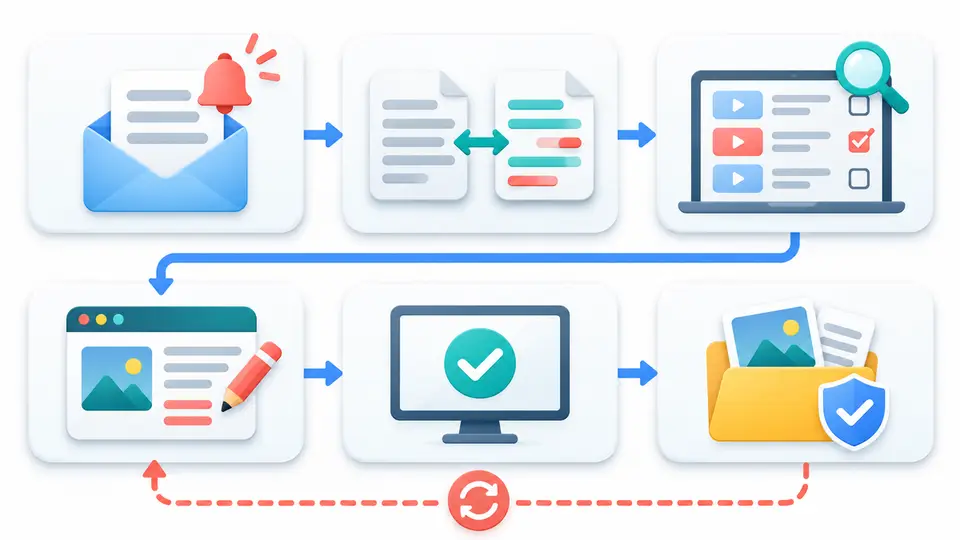
3. Define the exact placement and audience
Translate the rule into the promotion you actually run. “Social” is not specific enough. Record whether a link appears in a public post, profile, private message, live stream, video description, newsletter, paid placement, or landing page. Note the audience, country, and whether they opted into a message when that matters.
Read the policy for conditions and exceptions. A rule for an email newsletter may not cover a direct message. Approval for one channel may not cover a second channel or market. If the source does not clearly cover your planned placement, ask the program before using it.
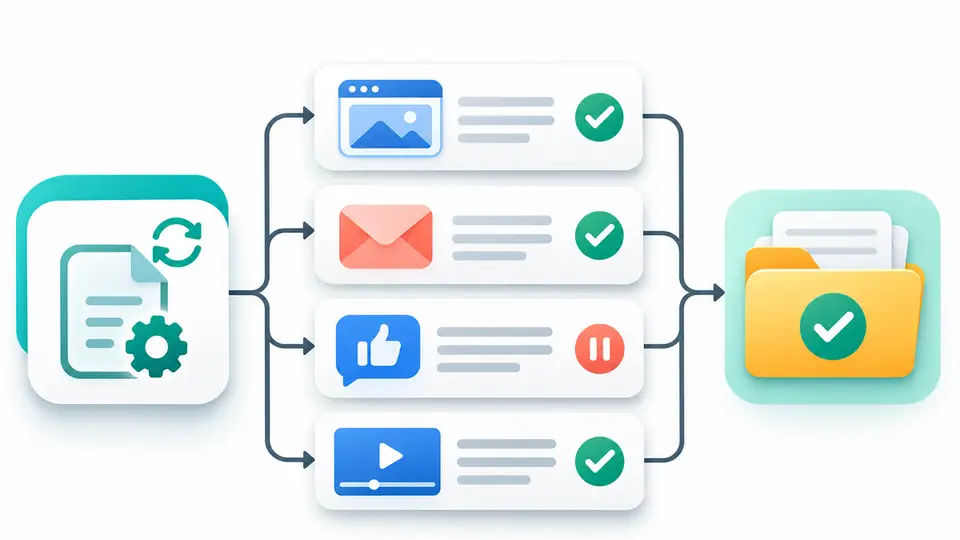
4. Find every asset that depends on the rule
Search your site, link hub, email archive, social profiles, video descriptions, pinned comments, and scheduled posts for the program name, old URL, campaign code, or affected claim. List the exact page or asset, its owner, and the action needed. If the original promotion has already ended, mark that and still check for links that remain live.
This is where many updates get missed. A new review can be correct while an older comparison table still uses an outdated rate. A profile link can be fixed while a video description or a saved newsletter continues to send readers to the old route. Give each asset a separate status until it is checked.
5. Recheck disclosures and factual claims
If a commission or relationship is involved, review the disclosure near the recommendation and link. The FTC's endorsement guidance says affiliate marketers should disclose the retailer relationship clearly and conspicuously, with the disclosure close to the recommendation. A disclosure placed far away may not give a reader enough context.
Also check claims that depend on the changed policy, such as who can apply, which channels are allowed, what action earns a commission, or whether a stated rate is current. Remove a claim if you cannot support it. A platform's built-in disclosure tool may be helpful, but it does not automatically answer every program or legal requirement.
6. Update, pause, or remove the affected promotion
Revise the affected copy, replace a stale link, or remove the promotion when the current terms no longer support it. If a post is scheduled but not live, update it before release. If a live placement may violate a rule and you cannot confirm its scope, pause it while you request clarification.
Use the smallest safe change that resolves the issue. Do not rewrite an entire article when only one program detail changed, but check any nearby claim that depends on the same source. For a long-running site, the affiliate content refresh checklist can help you review the full page after the immediate policy fix.
7. Verify the live link and placement
Open the edited page on desktop and mobile, inspect the visible disclosure and surrounding copy, and confirm that the link reaches the intended destination. If tracking parameters or IDs changed, verify that the current link uses the correct route without exposing private account values.
A link opening successfully does not prove the program will credit a commission. Do not place a real order just to test tracking unless the program's rules explicitly allow the test. Record what you could verify, such as the destination and visible placement, and mark account-only attribution behavior as unverified if you cannot safely test it.
8. Keep dated evidence and set the next review
Store the source, effective date, affected asset list, owner, completed actions, and any open question. Set a review trigger such as a new program notice, a provider's policy update, a region change, or a planned new channel. Keep older versions rather than overwriting them when the history could explain a previous decision.
A separate affiliate channel rules change log is useful for recording permissions and source history. This checklist covers the action on existing promotions after a change appears. Before the update, the affiliate channel eligibility guide can help you identify which channels require a program-specific check.
Example: an email rule needs a channel-level review
Amazon's US Associates policies say Special Links in email, SMS, and direct messages from social media sites may be used only when those communications are solicited and comply with the agreement and related guidelines. The Amazon Associates policy page is an example of why a creator should check the actual wording for the account and market rather than apply a generic email rule to every program.
If a program sends a notice about email promotion, list each newsletter and automated sequence that includes its links. Confirm the source wording, opt-in context, audience, and effective date. Update or pause the affected message, then check that the disclosure appears with the recommendation. Ask the program if the new wording does not answer whether an existing sequence or audience remains covered.
The Shopify affiliate program, Webflow affiliate program, and SiteGround affiliate program are directory examples from different publisher categories. Use a directory page to discover an offer, then confirm current promotion rules in the provider's official terms or account dashboard before updating a post.
Mistakes to avoid during a policy update
Updating only new content
A rule can affect old articles, links, descriptions, and scheduled messages that remain visible. Search for the program across every channel where you promoted it.
Treating one market or account as universal
A provider can publish different agreements, routes, or eligibility rules by region or partner type. Check the source that applies to your account before revising a claim.
Replacing evidence with a summary
Save the source and effective date. A short note that says “terms changed” does not show which rule changed, which assets were reviewed, or why an action was taken.
Leaving an uncertain placement active
If the terms do not answer whether a specific placement is allowed, mark it unclear and ask the program. Do not treat silence, an old approval, or a working link as current permission.
Key Takeaways for Affiliate Policy Update Checklist: 8 Steps for Creators
Use an affiliate policy update checklist whenever a program changes a term, permitted channel, link rule, or eligibility condition. Compare the sources, identify every affected asset, update or pause the promotion, verify the visible result, and retain dated evidence.
To find programs for a new content area, browse the FindAffiliates directory. Confirm current terms with the provider before promoting.
FAQ
What should creators do when an affiliate program changes its terms?
Open the official source, compare the old and new terms, identify affected content and channels, update or pause each promotion, verify the result, and save dated evidence.
Should creators update old affiliate posts after a policy change?
Yes, when an old post contains a link, rate, eligibility statement, or placement that the new policy affects. Review each asset and change only claims that depend on the update.
Is an affiliate link disclosure enough after a program policy update?
Not by itself. Check whether the disclosure is clear and near the recommendation, and confirm the placement also meets the program's current terms and any applicable rules.
Where should creators check the current affiliate program rules?
Use the provider's current agreement, policy page, or account dashboard for the correct market and partner route. A directory listing or another publisher's summary can help with discovery, but does not replace those sources.