Affiliate Link Management Software vs Spreadsheet 2026
Compare affiliate link management software vs spreadsheet workflows by cost, control, updates, analytics, compliance, and migration timing for creators.
On this page (11)
What Should You Compare Before Choosing?
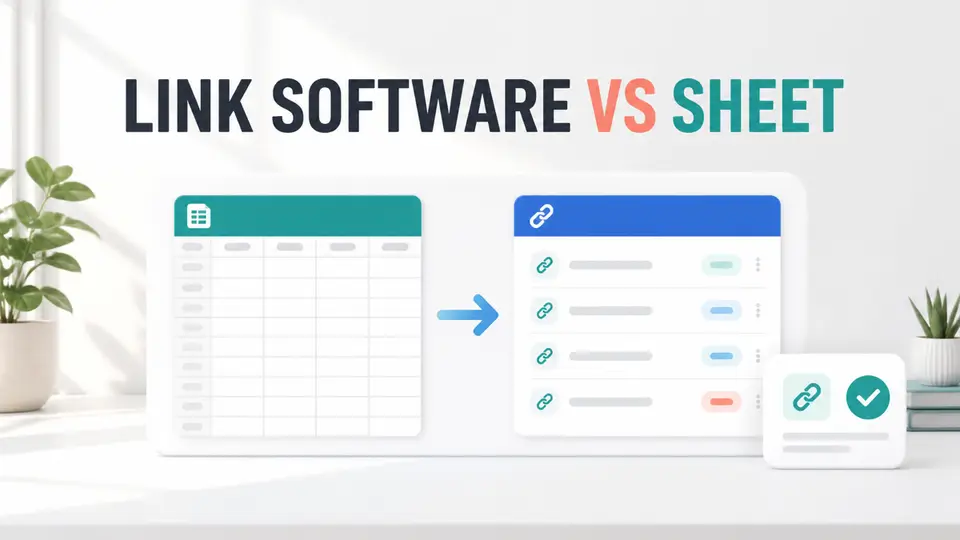
Affiliate link management software vs spreadsheet is a practical choice about operating risk, not just tool preference. A spreadsheet can organize a small portfolio cheaply. Software becomes useful when creators need central redirects, automated checks, click data, bulk updates, or consistent links across many pages and channels.
The quick answer is to start with a spreadsheet when you manage a limited number of links and can audit them manually. Move to software when one destination change requires edits across many placements, broken links become hard to find, or several people need reliable control. The right threshold depends on link count, revenue concentration, publishing volume, and program rules.
Quick Comparison
| Decision factor | Spreadsheet | Link management software |
|---|---|---|
| Starting cost | Usually free or already available | Free to paid, depending on features |
| Source of truth | Manual rows and fields | Central link records and redirects |
| Updates | Edit every placement or tracked row | Update a central destination when supported |
| Click analytics | Manual imports or separate analytics | Often built in |
| Broken-link detection | Scheduled manual checks | Available in some tools and plans |
| Portability | High if the sheet is documented | Depends on export and redirect ownership |
| Compliance control | Manual process | Can help, but does not replace program rules |
| Best fit | Small, stable portfolios | Larger or frequently changing portfolios |

What a Spreadsheet Can Do Well
A spreadsheet is an effective first system because it forces the creator to define the important fields. At minimum, track the program, destination URL, affiliate URL, content placement, channel, owner, disclosure status, last verified date, current terms source, and next review date.
Google Sheets supports sharing, comments, protected content, filter views, and version history. Those features make a documented sheet more capable than a private list of URLs. A creator can filter for links due for review, see who changed a cell, and restore an earlier version when a bulk edit goes wrong.
The spreadsheet is also portable. It can be exported, backed up, and inspected without depending on a WordPress plugin or redirect service. That matters if a creator changes a site platform or wants a durable record of every direct merchant URL.
The weakness is execution. A row does not automatically update five old articles, three YouTube descriptions, and a resource page. It also does not test every destination unless someone runs a check and records the result.
What Affiliate Link Management Software Adds
Software creates a control layer between the published link and its destination. Depending on the product, that layer can provide branded redirects, categories, click tracking, geographic rules, link health alerts, imports, bulk updates, and performance reports.
That control reduces repetitive work. If one merchant changes a landing page, a creator may be able to update the central destination instead of editing every placement. It can also make naming and reporting more consistent across a team.
The tradeoff is dependency. If the plugin, domain, subscription, or redirect service fails, many published links can fail together. Before migrating, verify export options, redirect ownership, backup procedures, and what happens after cancellation or downgrade.
Software also does not grant permission to cloak or redirect a link. Each affiliate agreement still controls allowed URLs, paid traffic, geographic routing, disclosures, and tracking methods. Google recommends marking affiliate links with rel="sponsored", whether links are created manually or dynamically.
Five Link Management Tools to Evaluate
Lasso
The Lasso affiliate program connects to a creator-focused product that combines link management, displays, pages, click data, and monetization tools. Lasso's current help center says its free plan includes core link management, branded link cloaking, and most displays, while paid plans add deeper optimization, automation, and scale features.
Pretty Links
The Pretty Links affiliate program points creators to a WordPress-centered link manager. Current official documentation says all paid tiers include core link creation, categories, tags, click tracking, reports, and QR codes. Higher tiers add features such as geographic targeting, rotation, expiration, split testing, and advanced redirect types.
ThirstyAffiliates
The ThirstyAffiliates affiliate program represents another WordPress-first option. Its official site highlights branded URLs, categories, click measurement, automatic link insertion, geographic redirects, and broken-link alerts across its toolset.
Linkly
The Linkly affiliate program is relevant for creators who need links across websites, social channels, email, or other platforms. Linkly's current official materials describe custom short links, custom domains, country-level analytics, geographic and device redirect rules, integrations, exports, and an API.
ClickMagick
The ClickMagick affiliate program connects to a more campaign-oriented tracking product. Its current pricing and product pages emphasize real-time tracking and paid plans with core tracking features.
When a Spreadsheet Is Still the Better Choice
Stay with a spreadsheet when the portfolio is small, destinations rarely change, one person owns the process, and a monthly audit is easy to complete. A well-designed sheet gives the creator direct visibility into every merchant, placement, source document, and review date.
A spreadsheet is also safer during early experimentation. The creator can learn which fields matter before committing to a system. This reduces the chance of migrating into software that does not match the content channels or reporting needs.
Use the affiliate tracking spreadsheet guide to define the inventory. Add a stable link ID, program ID, placement URL, destination, channel, status, last checked date, terms source, and owner. The sheet should record decisions, not only links.
Seven Signals That It Is Time for Software
1. One link appears in many places
If a destination change creates a long manual search across articles, videos, newsletters, and profiles, central control can reduce missed placements.
2. Broken links are found by readers
When readers report failures before the team does, the audit process is too slow. Use the affiliate link redirect audit checklist to define what the software must detect.
3. Revenue depends on a few destinations
High-value links deserve faster alerts and documented fallback destinations. The cost of one unnoticed failure can exceed the software subscription.
4. Several people publish links
Software can enforce consistent names and destinations, but only if roles and permissions are clear. Keep a change log and assign an owner for each program.
5. You need channel-level click data
A spreadsheet can store imported numbers, but a link platform can capture clicks by link or campaign. Confirm the data is decision-useful and does not create privacy or consent problems.
6. Audits consume too much publishing time
If maintenance repeatedly displaces new content, automation can help. Set the review cadence using the affiliate link audit frequency guide rather than trusting an alert system without a schedule.
7. You can test and reverse the migration
Do not migrate only because the current workflow feels messy. Move when you have an export, a redirect map, acceptance tests, ownership, and a rollback plan.
A Safe Migration Plan
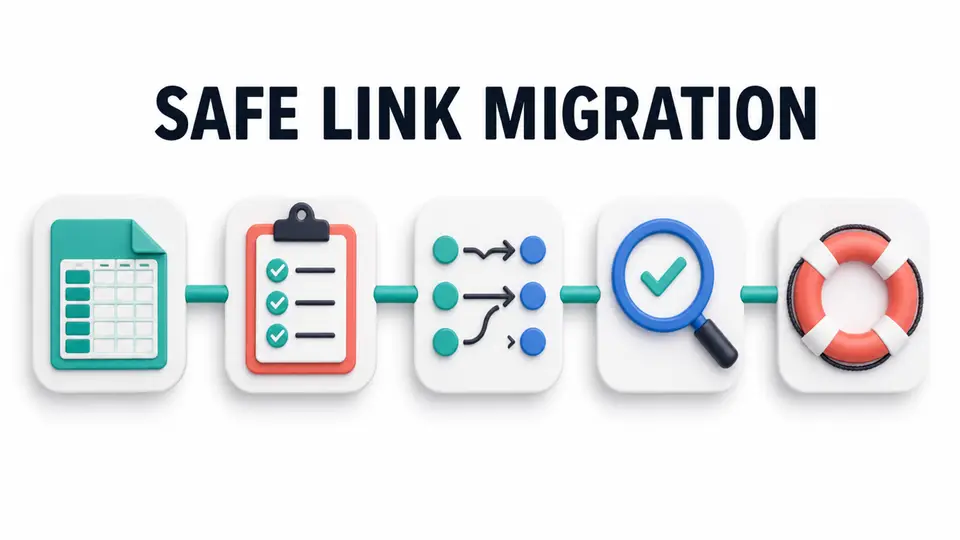
First, clean the spreadsheet. Remove duplicates, identify every direct destination, label the source and channel, and mark links that cannot be redirected under program rules. Then export a backup that is independent of the new software.
Next, import a small group of low-risk links. Test the published redirect, destination, query parameters, mobile behavior, geographic behavior, disclosure, and rel attributes. Compare click records with site analytics, but do not treat a difference as proof that one system is correct until the measurement definitions match.
Run both systems in parallel for a short acceptance window. Record failures and decide whether they come from configuration, blocked bots, merchant redirects, consent, or the underlying affiliate network. Only then migrate high-revenue links.
Keep direct merchant URLs and signed terms outside the tool. If a vendor changes pricing, removes a feature, or stops operating, that independent inventory supports recovery. The affiliate link cloaking guide also explains why program-specific redirect rules must be checked before using branded links.
Final Decision Framework
| Situation | Recommended system |
|---|---|
| Fewer links, stable destinations, one owner | Spreadsheet |
| Many repeated placements | Software plus spreadsheet backup |
| WordPress product displays and redirects | Evaluate Lasso, Pretty Links, or ThirstyAffiliates |
| Multi-channel branded links and routing | Evaluate Linkly |
| Campaign testing and paid traffic analysis | Evaluate ClickMagick |
| Unclear program rules | Direct links until permission is confirmed |
| No export or rollback plan | Do not migrate yet |
The durable answer is often a hybrid. Software handles redirects, checks, and analytics, while a spreadsheet preserves the independent source of truth. Browse the FindAffiliates directory to compare the programs behind the products before adopting any tool through an affiliate recommendation.
Key Takeaways for Affiliate Link Management Software vs Spreadsheet 2026
Affiliate link management software vs spreadsheet is not an all-or-nothing decision. A spreadsheet is enough for a small, stable portfolio. Software earns its place when central updates, automated checks, consistent routing, or click data prevent meaningful revenue and maintenance risk.
Choose the simplest system that supports the current portfolio, then design an exit before depending on it. Keep direct destinations, terms sources, ownership, backups, and review dates portable even when software controls the public links.
FAQ
Is affiliate link management software necessary for beginners?
No. Beginners can use a documented spreadsheet until repeated placements, maintenance time, or broken-link risk justify software. The important step is creating a reliable inventory from the first program onward.
What should an affiliate link spreadsheet include?
Track the program, affiliate URL, direct destination, content placement, channel, owner, status, disclosure, last verified date, current terms source, and next review date. Add a stable internal ID so the same link is not entered under several names.
Can link management software replace an affiliate network dashboard?
No. A link tool may record clicks and redirects, but the network or merchant determines attributed conversions, approved commissions, reversals, and payouts. Reconcile systems instead of assuming their metrics are identical.
Is link cloaking allowed for every affiliate program?
No. Some agreements restrict redirects, frames, domains, or how destination URLs are presented. Confirm the current program rules before enabling cloaking or geographic routing.
Should I keep a spreadsheet after moving to software?
Yes. Keep an independent export with direct destinations, terms sources, owners, and placement records. That backup supports audits, vendor changes, cancellation, and rollback.