12-Point Affiliate Link Redirect Audit Checklist 2026
Run an affiliate link redirect audit checklist to verify program rules, destinations, disclosures, sponsored tags, tracking, and scheduled link tests.
On this page (7)
What Should You Compare Before Choosing?
Quick answer
An affiliate link redirect audit checklist verifies that every managed link still follows program rules, reaches the promised merchant page, preserves approved tracking, carries the right commercial disclosure, and has a named owner. Run the audit before publishing a new redirect, after a program or network migration, and on a schedule for established links.
Start with the programs and pages that drive the most clicks or revenue. For each link, inspect the public placement, every redirect hop, the final destination, the affiliate identifier, the current program agreement, and the merchant dashboard. A technically working link can still fail the audit if it sends readers to the wrong offer, hides a material relationship, or uses a traffic source the program does not allow.
| Audit area | Pass condition | Evidence to retain |
|---|---|---|
| Program permission | Redirect method and traffic source are allowed | Current policy URL and review date |
| Reader experience | Anchor text, disclosure, and destination agree | Source page and screenshot |
| Redirect health | Short path reaches the intended final page | Response codes and final URL |
| Tracking | Approved affiliate and campaign IDs survive | Tested URL and dashboard click |
| Search markup | Paid link is qualified correctly | Rendered link attributes |
| Maintenance | Owner, priority, and next review are recorded | Link register entry |
Set the Audit Scope and Evidence Standard
Build one inventory row for each public affiliate placement, not only one row for each program. Each placement can have different disclosure, traffic-source, tracking, and maintenance risks.
Record the source page, anchor text, redirect path, final destination, program, campaign ID, owner, last test date, and next review date. Do not store passwords, private account keys, customer details, or payout credentials in the link register.
Use current official program terms and dashboard settings for program-specific claims. Google's official outbound link qualification guidance supports using rel="sponsored" for paid placements. The FTC's disclosures guidance for online influencers supports making material relationships clear and hard to miss. These sources establish broad disclosure and search-markup principles, but they do not replace each merchant's agreement.
Source confidence should be labeled. Treat a current official agreement or authenticated dashboard as high confidence, an official marketing page as useful but incomplete, and a third-party directory summary as a lead to verify. If the sources conflict, pause the claim or link until the program confirms the applicable rule.
The 12-Point Affiliate Link Redirect Audit Checklist
1. Confirm the Program and Partner Track Are Active
Open the current program page and partner dashboard. Confirm that applications, links, and the exact partner track are still active. Some brands operate separate affiliate, referral, agency, or customer-reward tracks with different rules.
Check the program you actually joined, not a similarly named offer. Publishers comparing the Kinsta affiliate program, Semrush affiliate program, or another offer should verify the accepted agreement and dashboard before relying on a directory summary.
2. Recheck Redirect and Traffic-Source Permission
Search the current agreement and help center for redirect, shortening, cloaking, framing, email, social, paid search, coupon, and trademark rules. A redirect that works in a browser may still violate a source-identification or promotion rule.
Record the source URL, relevant section, and review date. If the wording is unclear, request written guidance. Do not assume a method is allowed because another program accepts it.
3. Match the Public Promise to the Final Destination
Read the anchor text, button label, nearby price or benefit claim, and surrounding recommendation. Then open the final page. The merchant, product, plan, offer, and reader stage should match what the content promises.
A button labeled "Compare plans" should not land on a generic homepage if a current pricing page is the intended destination. Never route an expired offer to an unrelated merchant merely to preserve revenue.
4. Inspect Every Redirect Hop
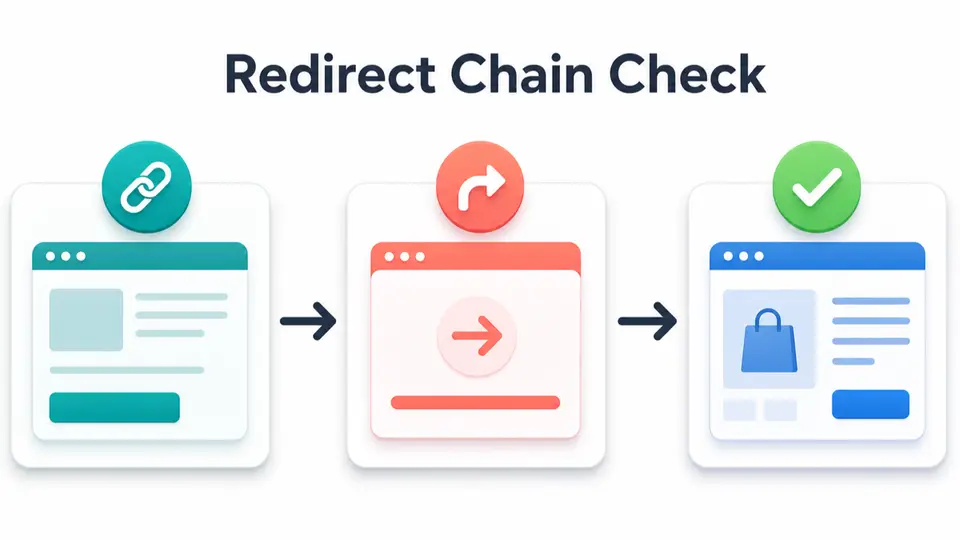
Use a redirect checker or browser developer tools to list the response code and location for every hop. A clean managed link usually needs one redirect from the publisher's domain to the approved affiliate destination.
Flag loops, mixed HTTP and HTTPS hops, unexpected shorteners, and tracking domains you do not recognize. Record each status code and confirm it matches the intended behavior instead of changing redirect types based on guesswork.
5. Verify the Final URL and Required Parameters
Compare the final URL with the destination generated by the program dashboard. Confirm that the affiliate ID, campaign label, sub-ID, or other approved parameter remains present where the program expects it.
Do not add unsupported parameters or expose private data in a URL. The guide to tracking affiliate links and commissions explains why link clicks, merchant conversions, commission approval, and payouts need separate records.
6. Test Mobile, Desktop, and a Private Session
Open the public link on mobile and desktop, then repeat the test in a private browser session. Logged-in accounts, cached redirects, extensions, or saved location preferences can hide a problem that readers will see.
7. Check Disclosure Placement and Wording
The reader should understand the commercial relationship before or near the recommendation. A short branded path does not disclose compensation by itself.
Review the page as a first-time visitor. The disclosure should be visible, plain, and appropriate to the format. Use the affiliate review disclosure examples when a review, comparison, resource page, email, or video description needs clearer wording.
8. Inspect Sponsored Link Qualification
Check the rendered HTML of the clickable public link. Paid placements should use rel="sponsored" under Google's guidance. Some publishers also include nofollow.
9. Validate Anchor Text and Approved Claims
Audit claims beside the link, including commission-independent product claims, pricing, trial length, discounts, rankings, and superlatives. Remove expired numbers or unsupported promises.
For example, a tutorial mentioning the Kit affiliate program should link from an email workflow that genuinely helps the reader. A store-building guide may naturally discuss the Shopify affiliate program. Relevance is part of link quality.
10. Separate Click Evidence From Commission Evidence
Confirm that the redirect or analytics tool records a request, then check whether the affiliate dashboard records the click when testing is permitted. Do not create a purchase or self-referral merely to test attribution if program rules prohibit it.
A redirect log proves that a path was requested. It does not prove that a later order qualified, survived a refund window, or became payable. The affiliate cookie duration guide explains why referral windows and final commission outcomes differ.
11. Confirm Failure and Retirement Behavior
Decide what happens if the destination returns an error, the program closes, or the offer no longer fits the article. A safe fallback may be a transparent update, an archived comparison, or removal of the commercial button.
12. Assign an Owner and Next Review Date
Every active redirect needs a responsible owner, priority, last test date, and next review date. Review links on high-traffic pages more often than low-traffic archive content.
Trigger an immediate audit after a platform migration, merchant rebrand, commission notice, destination change, CMS release, or unusual click decline. A schedule turns the affiliate link redirect audit checklist into maintenance rather than emergency repair.
How to Prioritize Redirects and Choose an Action
Score each placement by business impact and reader risk. Start with links on high-traffic pages, links tied to material revenue, programs with recent changes, long redirect chains, old untested destinations, and pages making time-sensitive claims.
Use four outcomes:
- Keep: The link passes all checks and the evidence is current.
- Fix: The program is valid, but the path, markup, disclosure, claim, or destination needs correction.
- Pause: Permission, terms, tracking, or source confidence is unresolved.
- Retire: The program closed, the destination is irrelevant, or the recommendation no longer serves the reader.
Common Audit Failures
The most common failure is testing only whether the final page loads. That misses program permission, disclosure, sponsored markup, claim accuracy, and commission-record separation.
Other frequent problems include one tracking ID reused across every placement, redirect chains built from multiple shortening services, stale pricing beside a valid link, and inventory rows with no owner. Another mistake is updating the redirect target without rereading the source copy. The new page may work technically while no longer matching the recommendation.
Keep the audit narrow and evidence-based. Fix the broken or risky element, retest the complete path, and record the result.
Key Takeaways for 12-Point Affiliate Link Redirect Audit Checklist 2026
A reliable affiliate link redirect audit checklist protects readers, revenue, and publisher credibility at the same time. Verify the program first, inspect the full route, confirm the destination and tracking, review disclosure and sponsored markup, then assign the link an owner and next test date.
Run the 12 checks before launching a managed redirect and whenever a program, destination, or site system changes. Browse FindAffiliates to research relevant programs, then verify every operating rule in the current official agreement or partner dashboard.
FAQ
How often should publishers audit affiliate redirects?
Review high-traffic and high-revenue links monthly or after any program change. Lower-risk archive links may fit a quarterly schedule. Always retest after a merchant migration, CMS update, rebrand, or unusual drop in recorded clicks.
Does a working redirect prove affiliate tracking works?
No. It proves that the browser reached a destination. The affiliate dashboard determines whether it recorded the click, conversion, approval, reversal, and payout. Keep redirect evidence and commission evidence separate.
Should affiliate links use sponsored or nofollow?
Google recommends rel="sponsored" for paid placements and also accepts nofollow. Many publishers use both. Inspect the rendered public link because a CMS may remove attributes during editing or template changes.
What should happen when an affiliate program closes?
Remove or pause the commercial call to action, update the article, and retire the redirect in the link register. If you recommend an alternative, explain and evaluate it openly instead of silently rerouting readers.
Is a branded affiliate redirect the same as disclosure?
No. A readable URL helps management and presentation, but it does not tell readers that compensation may be involved. Use a clear disclosure before or near the recommendation.