Affiliate Commission Rate Change Log Template, 9 Fields
Use this affiliate commission rate change log template to track old and new terms, effective dates, source evidence, affected pages, and review dates.
On this page (8)
What Should You Compare Before Choosing?
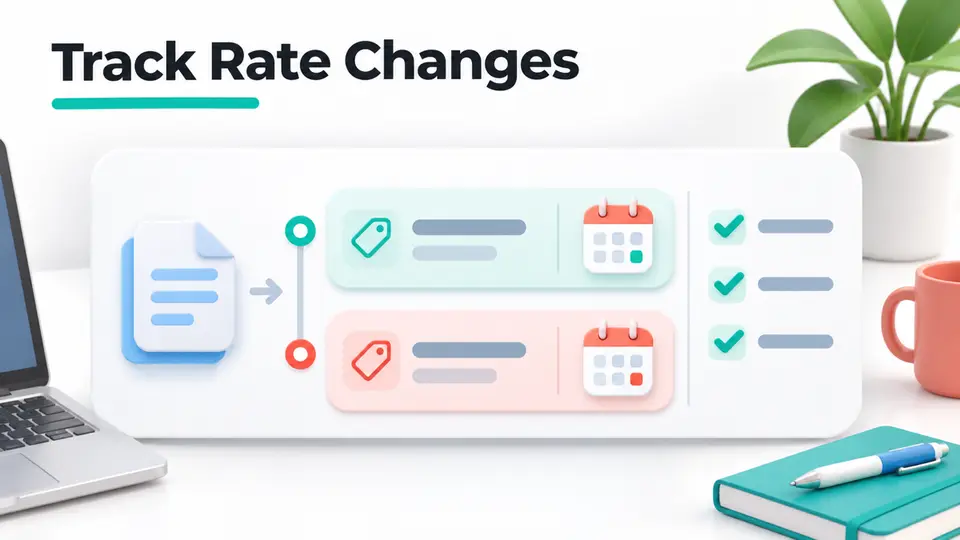
An affiliate commission rate change log template preserves what an offer paid, what changed, when the new rule applies, and which pages need review. Without dates, an old screenshot can look current.
Use it to record each version of a program's public terms and your response. It differs from a worksheet comparing current offers or a merchant notice announcing a change.
The log does not decide whether a new rate is fair or what an agreement means. It gives a publisher a traceable basis for updating content, asking a program a question, or pausing a claim that cannot be verified.
Quick Answer
A useful commission change log records nine things: program and scope, old rate, new rate, eligible action, source, effective date, transition treatment, affected content, and follow-up status. Save the source and the date you checked it, not just the percentage.
| Field | Why it matters |
|---|---|
| Program and scope | Identifies account, campaign, product group, and region |
| Old rate and base | Preserves the prior rule and its calculation base |
| New rate and base | Captures the updated value on the same basis |
| Qualifying action | Shows which event can earn the commission |
| Source evidence | Lets another reviewer inspect the same terms |
| Effective date | Separates an announcement from the date it applies |
| Transition treatment | Records what is known about earlier clicks or referrals |
| Affected content | Shows where claims, links, and graphics may need review |
| Follow-up status | Assigns an owner, action, and next check date |
Why a Publisher Needs a Versioned Log
A rate comparison helps choose between offers at one time. A versioned log records prior and current terms and the pages to review. Use the affiliate commission rate comparison worksheet before applying, then use this log to preserve changes.
The merchant's commission change notice template explains the update. Publishers need a separate record to verify it and find pages with old claims. The affiliate channel rules change log tracks promotion placements, which may change separately.
The Awin publisher commission rate documentation describes current, scheduled, and historical rates for its partners, plus Awin-specific notice rules. Do not assume those controls apply to other programs.

The Nine Fields to Record
1. Program, campaign, product group, and region
Record the program and scope. A brand may have separate campaigns, product groups, markets, or publisher tiers, so do not copy one campaign's rate across them.
Start with the official program page or your network account. FindAffiliates profiles such as the Razer affiliate program, Logitech affiliate program, and Corsair affiliate program can help locate an offer, but verify the current terms with the program or network that manages your account.
2. Previous rate and calculation base
Save the old rate and its calculation base. A percentage may apply to a sale, subscription payment, or new customer action; a flat reward may use a different event.
Record the product group, tier, qualifying event, exclusions, and source date, not just an “up to” headline. If the old rate was never verified, mark it unknown.
3. New rate and effective date
Record the new rate, base, and eligibility. Capture the announcement and effective dates, including time zone if given. They can differ.
If no effective date is available, write that the date is not stated in the source. Ask the program or network for clarification before describing a transition rule to readers.
4. Qualifying action and exclusions
Log the qualifying event and exclusions. Purchases, leads, trials, renewals, and first payments may be treated differently; refunds, product category, coupon use, and customer status can also affect eligibility.
Use the program's wording or summarize it without broadening the rule. A higher percentage is not more valuable if it applies to fewer products or a different conversion event than the old rate.
5. Source, access level, and capture date
Save the official URL, page or account, and review date. If permitted, keep a dated export or image with enough source detail for another reviewer to identify it.
Separate public terms from private account terms. A directory page may help find an offer, while the network dashboard or contract controls the rate available to a specific account. Mark restricted details as account-only and do not publish them without permission.
6. Attribution and other linked terms
A rate is one part of an offer. Record related changes to referral windows, attribution, payment thresholds, payout timing, and reversals when they affect the comparison.
Keep each changed term in its own field. If a rate changed but the attribution window is not stated, preserve that distinction rather than implying that both rules changed together.
7. Treatment of earlier clicks and referrals
Check how the new rate applies to earlier clicks, leads, trials, customers, unpaid commissions, or renewals. Do not assume existing referrals keep the old rule or move to the new one.
If the transition is missing or ambiguous, record the question and the response source. Until it is resolved, avoid claims about existing referrals that the public terms do not support.
8. Affected pages and assets
List pages and assets that show the old rate, including article text, tables, images, email, social copy, and video. A graphic may retain a figure after the article is fixed.
The FTC Endorsement Guides explain that commission relationships should be disclosed clearly when readers would not otherwise expect them. Keep that disclosure review separate from checking the accuracy of a specific rate claim.
9. Owner, action, and next review
Assign who will update each page and verify the result. Record whether to change a claim, replace an image, request clarification, pause a link, or leave accurate content as is.
Add a next review date and the event that should bring it forward. A rate notice, contract update, product launch, program closure, or unexplained commission report can trigger an earlier check.

Copyable Change Log Structure
Keep one row for each dated change. If the network records scheduled and actual changes separately, preserve both rather than overwriting the earlier entry.
Copy this affiliate commission rate change log template into a dated record, then add a row whenever verified program terms change.
| Record item | What to save |
|---|---|
| Program scope | Program, campaign, product group, account tier, and region |
| Announcement | Source date, time, and source location |
| Prior terms | Rate, calculation base, qualifying action, and exclusions |
| Updated terms | New rate, calculation base, qualifying action, and exclusions |
| Effective date | Date and time zone when the new terms begin |
| Transition | Known treatment of old clicks, referrals, and balances |
| Content impact | Affected URLs, graphics, emails, and videos |
| Owner and action | Responsible person, update decision, and verification |
| Next review | Date or event that should reopen the record |
Use the affiliate commission rate change log template as an append-only record. Keep the initial source and old value intact, add a row for each change, and link it to affected content.
Review the Change Safely
Confirm that the alert and source match the program, campaign, market, and publisher tier. Compare terms on the same calculation basis, including the qualifying event, exclusions, attribution, and effective date.
Map each claim to its content location and update only what the source supports. If the amount is private or date unclear, remove the precise claim or mark it unavailable. Do not guess or copy another program's rate.
After publication, check the page, tables, image text, downloads, and social copy for the old value. Add the reviewer and verification date to the log.
| Change review | Publisher action |
|---|---|
| Scope | Confirm the same program, campaign, region, and account tier |
| Rate basis | Compare the old and new value using the same qualifying event |
| Evidence | Keep an official source and the date it was captured |
| Transition | Record what happens to earlier activity or mark it unknown |
| Content | Find and verify every page or asset with the old claim |
Key Takeaways for Affiliate Commission Rate Change Log Template, 9 Fields
An affiliate commission rate change log template helps publishers preserve the old rule, verify the new rule, and act on the content each one affects. Keep dated sources, separate the announcement from the effective date, and record unknown terms instead of guessing. Browse FindAffiliates to discover programs, then confirm the current offer in its governing source.
FAQ
What should an affiliate commission change log include?
Record the program scope, old and new rates, calculation base, qualifying event, source, announcement and effective dates, transition details, affected content, owner, and next review.
Is a commission comparison worksheet the same as a change log?
No. A comparison worksheet evaluates current offers side by side. A change log preserves a program's terms across dates and tracks the publisher's response.
Should publishers assume old referrals keep the previous rate?
No. Check the agreement, account terms, and notice for the actual transition rule. If the treatment is missing or unclear, record the uncertainty and ask the program or network.
How often should affiliate rates be checked?
Follow the program's announcements and schedule routine reviews based on how often the offer changes and how prominently your content displays a specific rate. Check sooner when a notice or unexplained report arrives.