11-Point Affiliate Payout Audit Checklist for SaaS
Use this 11-point affiliate payout audit checklist to reconcile SaaS billing events, commissions, payout files, exceptions, and retained evidence.
On this page (8)
What Should You Compare Before Choosing?
An affiliate payout audit checklist should prove that every paid commission came from an eligible billing event, passed the program's rules, reached the correct payout file, and settled for the intended partner. It should also expose missing, duplicated, reversed, or unsupported records.
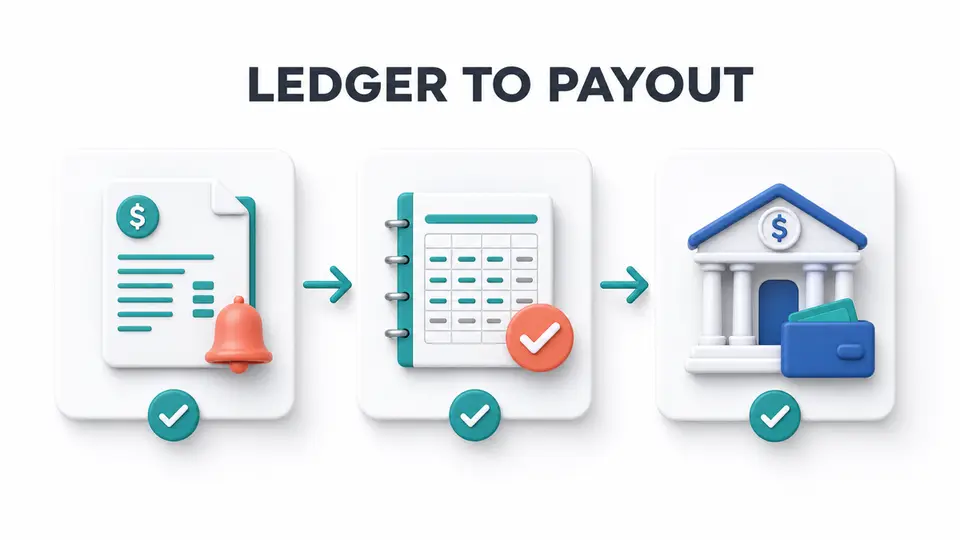
The most reliable approach is to trace stable identifiers across the full lifecycle: referral, customer, invoice, commission, approval, payout file, and payment confirmation. Unlike policy writing or individual commission review, this audit asks whether the systems and records agree.
Quick Answer: What Should a SaaS Payout Audit Prove?
The audit should prove completeness, accuracy, authorization, and settlement. Start with a fixed period, preserve source exports, and trace records in both directions. Commission-to-payment testing checks recorded commissions. Billing-to-commission testing finds omitted eligible revenue.
| Control objective | Main audit question | Strong evidence |
|---|---|---|
| Completeness | Did every eligible billing event create the expected commission? | Billing export matched to commission ledger |
| Accuracy | Was the commission calculated with the correct rule and currency? | Rate configuration, calculation, and invoice record |
| Authorization | Did the payout include only approved commissions? | Approval history and locked payout file |
| Settlement | Did the intended partner receive the correct amount? | Payment confirmation and exception log |
| Retention | Can the team explain the result later? | Dated exports, stable IDs, notes, and owner sign-off |
Totals can match while individual records are wrong. Preserve source files first, then use identifiers to explain each difference.
Before You Start the 11-Point Audit
Assign one audit owner and one independent reviewer. Define the period, currencies, programs, billing entities, and payment methods in scope. Save read-only exports before making corrections.
Tools such as Rewardful, Tapfiliate, FirstPromoter, and Rekomi can organize commission records. The audit still needs billing and payment evidence.
The related guide to billing-native vs pixel affiliate tracking explains why referral capture and financial truth are separate layers. Use that architecture as context, then use the checklist below to test the actual payout run.
11-Item Affiliate Payout Audit Checklist
1. Freeze the Audit Period and Preserve Source Exports
Record the exact start and end timestamps, time zone, legal entity, currencies, and affiliate program included in the audit. Export billing events, commission records, approval history, partner balances, payout lines, and payment results before editing any data.
Name each file with its source, period, and export time. Record filters so another reviewer can reproduce the dataset. A screenshot of a total does not preserve underlying records or exclusions.
2. Confirm Stable Keys Across Every System
List the identifiers that connect the lifecycle. Useful keys include partner ID, referral ID, customer ID, subscription ID, invoice ID, commission ID, payout line ID, and payment reference.
Test a sample manually before full reconciliation. Confirm that each identifier refers to the same customer or partner in every export. Email addresses and display names can change or collide.
3. Trace Referrals to Eligible Customer Accounts
Start with attributed referrals and confirm that each one maps to a real customer account and the program's qualifying event. Separate leads, trials, paid subscriptions, one-time purchases, and renewals instead of treating every conversion event as revenue.
Flag self-referrals, duplicate customers, test accounts, and transactions outside eligible scope. Apply the rule active during the audited period and record ambiguity as an exception.
4. Match Commissions to Paid Invoice Events
For revenue-based programs, match each commission to the invoice, order, or billing event that supports it. Confirm the event actually settled and that the commission used the eligible amount, not an unsupported list price or pre-discount value.
Then select eligible paid invoices and confirm each created the expected commission. This reverse trace catches omissions.
5. Test Refunds, Credits, Chargebacks, and Cancellations
Identify negative billing events inside the period and after the original sale. Confirm that full refunds, partial refunds, credits, chargebacks, failed payments, cancellations, and subscription changes produced the adjustment required by the program terms.
A commission may be correct when created but no longer payable after a refund. Keep the original record connected to its adjustment so the net amount remains explainable.
6. Recalculate Rates, Caps, Tiers, and Currency
Reperform the commission calculation for a representative sample. Check the rate, eligible revenue basis, duration, cap, tier, coupon rule, and rounding method that applied on the event date.
For multi-currency programs, document the calculation and payout currencies. Preserve the exchange-rate source and date. Do not assume the provider's converted amount equals the ledger amount.
7. Verify Approval Evidence Without Repeating the Approval Review
Confirm that each payable line has an authorized approval status and that holds or declines did not enter the payout file. Sample approvals for evidence of the reviewer, decision time, applied rule, and any exception authorization.
This tests whether the approval workflow operated as designed. For status design and customer review, use the separate affiliate commission approval workflow.
8. Reconcile Approved Commissions to the Payout File
Add approved, payable commissions by partner and compare that amount with the generated payout file. Account for thresholds, prior balances, adjustments, holds, fees, and credits as separate fields rather than hiding them in one net number.
Rewardful's official commission payment documentation covers review, export, external payment, and paid status. Tapfiliate's official payout documentation covers balance settlement and payout-file generation. Both make the export-to-payment boundary a control point.
9. Validate Payee Eligibility and Payment Instructions
Before release, verify that each payout line belongs to an active, eligible partner and uses the approved payment method. Confirm that required account or tax steps are complete without copying sensitive payment details into the audit workbook.
Use a controlled payee record and log instruction changes. Require independent verification for a last-minute destination change. Retain status, authorization, and non-sensitive references.
10. Trace the Payout File to Settlement and Exceptions
Match every payout line to the payment provider's result. Classify each line as settled, pending, failed, returned, canceled, or requiring review. Do not mark the affiliate platform paid merely because a file was uploaded.
Reconcile the payout file to settled payments plus exceptions. Assign failed or returned payments to an owner and follow-up date. The affiliate payout threshold examples guide can explain carried balances, but the audit must show why each balance moved or stayed open.
11. Retain Evidence, Sign Off, and Track Remediation
Create a final audit packet containing the scope, source file inventory, reconciliation, sampled calculations, exception log, reviewer sign-off, and remediation plan. Protect sensitive records with access controls and retain them according to the company's legal, tax, privacy, and finance requirements.
For every exception, record IDs, amount, cause, corrective action, owner, due date, and retest result. Close only when differences are explained or assigned for correction.
Control Coverage Matrix
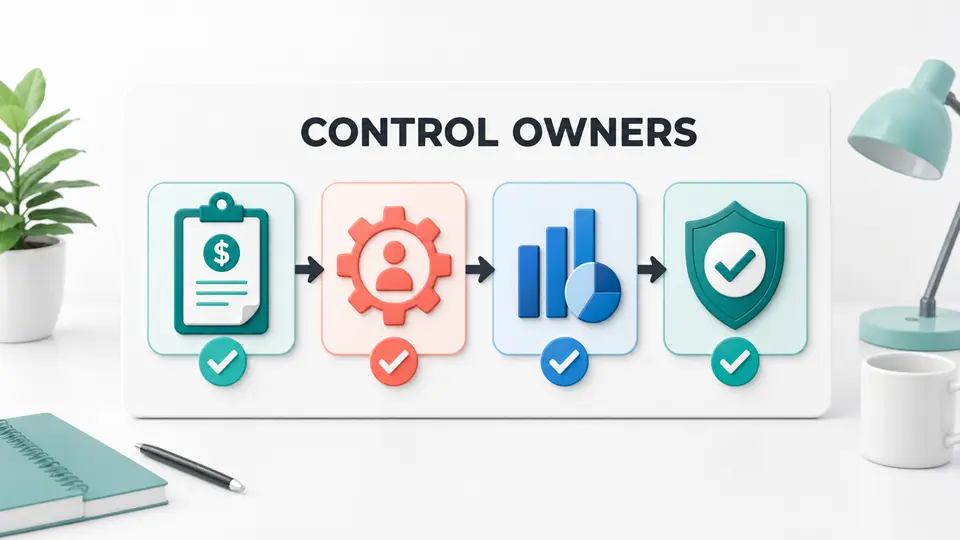
Use this matrix to keep the audit focused on evidence instead of policy writing.
| Lifecycle stage | Control to test | Evidence to retain | Common exception |
|---|---|---|---|
| Referral capture | Referral maps to the correct partner | Referral and customer IDs | Missing or overwritten attribution |
| Revenue qualification | Commission has an eligible paid event | Invoice or order ID | Trial or unpaid invoice treated as revenue |
| Adjustments | Negative events update commission | Refund, credit, or chargeback record | Reversal missing or duplicated |
| Calculation | Rule and amount are correct | Rate, basis, cap, and calculation | Wrong tier, currency, or eligible amount |
| Approval | Only authorized lines are payable | Status history and reviewer | Hold or decline included |
| Payout preparation | Approved balance matches payout file | Partner balance and locked export | Threshold or prior balance misapplied |
| Settlement | Payment result returns to the ledger | Provider reference and status | File uploaded but payment failed |
| Retention | Result can be reproduced later | Dated packet and sign-off | Filters or source exports missing |
The affiliate payout policy examples article helps communicate timing, holds, and thresholds to partners. The matrix above serves a different purpose: proving that the recorded payout followed those rules for a defined period.
Source Confidence and Limits
Official vendor documentation can confirm supported exports, settlement, or payment status. It cannot prove that a specific account is configured correctly.
Treat live configuration, approved terms, billing records, and payment results as evidence for the period. Record source-review dates and label unavailable fields instead of assuming.
Key Takeaways for 11-Point Affiliate Payout Audit Checklist for SaaS
An affiliate payout audit checklist is strongest when it follows stable IDs from referral through settlement. Preserve the source data, trace records in both directions, recalculate a sample, test adjustments, reconcile the payout file, and retain evidence for every exception.
The goal is not a clean-looking total. It is a payout result the SaaS team can reproduce and explain to finance, partners, and reviewers. Use FindAffiliates to compare affiliate platforms, then test the controls around the platform your team actually operates.
FAQ
What is an affiliate payout audit checklist?
It is a set of control tests that traces eligible customer revenue to commissions, approvals, payout files, and settled payments. It also checks adjustments, calculation accuracy, authorization, exceptions, and evidence retention.
How often should a SaaS team audit affiliate payouts?
Run core reconciliation controls for every payout cycle. Schedule deeper audits based on program risk, system changes, prior exceptions, and finance controls.
Is a payout audit the same as commission approval?
No. Commission approval decides whether a commission is payable. A payout audit tests whether eligible events were captured, approved amounts reached the payout file, payments settled correctly, and the records remain reproducible.
What should happen when an audit finds a difference?
Record the affected IDs and amount, classify the cause, assign an owner and due date, correct the source or downstream record, and retest the control. Do not erase the original evidence or force totals to match without an explanation.