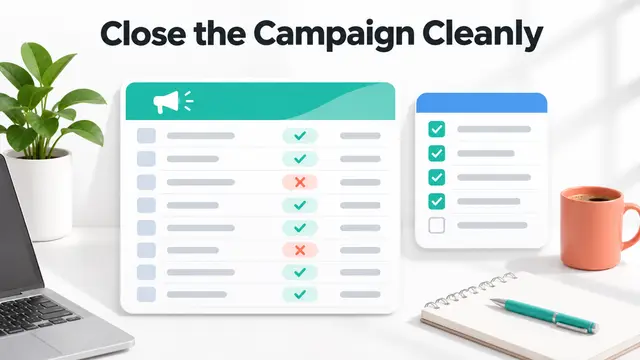
Affiliate Campaign Postmortem Template, 9 Fields for Brands
Use this affiliate campaign postmortem template to review targets, partner activity, approved orders, reversals, payouts, lessons, and next campaign actions.
On this page (7)

What Should You Compare Before Choosing?
An affiliate campaign postmortem template helps a program team explain what a campaign achieved, which evidence supports that result, and what should change next time. It is useful after a seasonal promotion, product launch, creator activation, or a short partner recruitment push.
Use an affiliate campaign postmortem template when a closeout memo needs to become a repeatable operating record. The fields make room for unresolved transactions and source limits instead of forcing a confident-looking total from incomplete data.
Use the nine fields below to connect the original objective to approved outcomes, commission adjustments, and a specific next action. This is an editable working framework, not a universal reporting standard. Keep every conclusion tied to a source and label information that is incomplete.
Quick Answer
An affiliate campaign postmortem should record the campaign scope, target, partner and placement mix, referral funnel, approved and reversed transactions, net economics, data quality, partner or compliance feedback, and the next decision with an owner. Reviewing clicks or gross orders alone can hide qualification rules, return windows, attribution limits, and delayed validation.
The affiliate-specific angle matters. Awin's post-campaign analysis guidance recommends examining partner performance, commission, paid placements, reporting, and partner feedback. The broader AAMA post-campaign template covers objectives, delivery, channel and audience performance, attribution, experiments, and next-campaign decisions. The template below adapts those practices to affiliate transaction evidence.

The Nine Fields
1. Campaign scope and cutoff
Record the campaign name, program, markets, promotion dates, time zone, partner segments, eligible products, and final reporting cutoff. State whether the review covers a coupon period, a creator brief, a launch, a seasonal event, or a full quarter.
Choose one reporting window and state it plainly. Clicks, orders, approvals, and payments may occur on different dates. If the report includes transactions that are still pending validation, mark them as provisional instead of mixing them into final outcomes.
2. Objective, target, and baseline
Copy the approved objective and its measure before summarizing results. A target might concern qualified new customers, approved revenue, partner activation, or a test of a new content format. Include the target value only when the team actually set one.
Add the baseline period and explain why it is comparable. Note material differences such as promotion length, offer availability, partner mix, product pricing, attribution settings, or market coverage. If there is no valid comparison period, write that the baseline is unavailable rather than inventing one.
3. Partner and placement mix
List participating partners or stable partner groups, placement type, campaign asset, traffic source, market, and any paid placement cost. Keep a record of the selection rule. Do not call a partner inactive until the report's activity window and available tracking sources are clear.
Separate editorial links, email, social, creator content, paid placements, coupon surfaces, and partner referrals when the source data supports it. This helps explain whether a result came from a small number of placements or a repeatable partner pattern.
4. Referral funnel and attribution
Capture the stages your system actually reports, such as clicks, referred leads, trials, orders, qualified customers, and approved transactions. Include the event names, attribution window, source system, and extraction date. Do not add a conversion rate when the numerator and denominator use different dates or definitions.
Affiliate software can expose different report fields and attribution rules. Compare the records you can export from tools such as FirstPromoter, Rewardful, and Tapfiliate, but confirm the live account configuration instead of assuming that two platforms define an event the same way.
5. Eligibility, reversals, and unresolved events
Reconcile gross referrals to qualified customers and approved transactions. Record duplicate orders, existing customers, cancellations, returns, chargebacks, attribution disputes, missing identifiers, and pending validation separately. Preserve the original event ID and adjustment reason where policy allows.
State the rule used for each adjustment and cite the program terms or platform record. Do not treat an order as approved because it appears in a click or transaction export. For a more detailed operations sequence, use the affiliate test-order reconciliation checklist.
6. Commission economics and payout status
Report commission earned, approved, reversed, pending, and paid as separate values. Include the currency, calculation basis, rate or tier version, and whether the value is gross or net of adjustments. Make the reporting period and settlement date explicit.
Do not equate tracked sales with commission. Rates may depend on product, new-customer status, partner tier, subscription retention, or a qualified event. The affiliate commission rate comparison worksheet is a useful reference for recording the terms behind a comparison. For a team view of recurring program performance, see the affiliate program KPI guide.
7. Data quality and confidence
For each headline measure, record the source, export date, filters, time zone, missing fields, and reconciliation status. Identify whether the number is final, estimated, sampled, or unavailable. Keep source files or query references under the normal retention policy.
If platform reporting and the finance ledger differ, show both values and assign an investigation owner. Avoid silently choosing the higher number. A campaign review should make uncertainty visible so the next decision can account for it.
8. Partner feedback and policy observations
Record partner questions, offer issues, asset problems, broken links, audience mismatch, disclosure concerns, and requests for program support. Include the source and date, but do not turn one anecdote into a general performance claim.
Separate confirmed violations from questions or reports that are still under review. Keep personal data and confidential partner details out of a public version. A campaign postmortem is a working record for program improvement, not a public ranking of individual partners.
9. Decisions, owners, and next review
End with a short action register: what to repeat, stop, test, or investigate; who owns it; due date; evidence needed; and the next review date. Tie each action to one finding from the report. Avoid a list of generic recommendations with no owner or follow-up measure.
For example, if a placement produced clicks but few approved customers, the next action may be to inspect the landing-page promise and eligibility rules before changing a commission. If a partner has unresolved transactions, assign reconciliation and communication work before launching another promotion.
Copyable Postmortem Record
| Field | Entry |
|---|---|
| Campaign and reporting window | [Name, market, start and end date, time zone, cutoff] |
| Objective and target | [Approved goal, measure, target, baseline] |
| Partner and placement mix | [Partner or group, placement, source, market, paid cost] |
| Funnel and attribution | [Event names, counts, window, system, export date] |
| Eligibility and adjustments | [Qualified, rejected, reversed, pending, reason] |
| Commission and payout | [Currency, earned, approved, reversed, paid, due] |
| Data confidence | [Source, filters, missing fields, reconciliation state] |
| Partner and policy observations | [Feedback, issue, evidence, owner, status] |
| Decision and next review | [Action, owner, due date, success measure, review date] |
Use one row per campaign and link detailed partner records instead of copying sensitive information into a broad report. If the campaign spans different offers, markets, or attribution rules, create separate lines or appendices so the summary does not combine unlike terms.
How to Run the Review
Start by freezing the scope and data cutoff. Export the relevant reports, preserve the query or filters, and record the extraction date. Reconcile tracked referrals with the approval and adjustment records before calculating a final result. A completed affiliate campaign postmortem template should let a second reviewer trace each headline measure to its source.
Then compare actual performance with the original target and a defensible baseline. Ask what changed in the partner mix, offer, placement, traffic source, landing page, or qualification rule. Treat correlation as a clue, not proof that a single change caused the outcome.
Finally, write decisions with owners and dates. If a term or transaction is not confirmed, put it in an open-question field. Use a review checkpoint after the remaining validation or payment window closes so pending values do not quietly become a final result.
Program owners can browse the FindAffiliates directory when comparing affiliate software and program options. For a consistent measurement vocabulary, pair this record with the SaaS affiliate KPI dictionary template.

Key Takeaways for Affiliate Campaign Postmortem Template, 9 Fields for Brands
This affiliate campaign postmortem template connects goals, placements, transaction evidence, commission status, and next-cycle decisions. Its nine fields help teams distinguish tracked activity from qualified and paid results while keeping source confidence visible.
Use the template after the reporting cutoff, update it when late adjustments arrive, and assign every follow-up to an owner. A review is useful when it changes the next test, partner support action, or operating control.
FAQ
What should an affiliate campaign postmortem include?
Include campaign scope, objective, partner and placement mix, funnel and attribution, eligibility and reversals, commission and payout status, data quality, partner feedback, and owned next steps.
When should you complete an affiliate campaign review?
Set a reporting cutoff that allows required validation and adjustment data to arrive. If transactions remain pending, publish a provisional review and schedule a final update after the relevant window closes.
Which affiliate campaign metrics should brands compare?
Use measures that match the campaign objective and reporting definitions, such as qualified customers, approved orders, net commission, partner activation, or placement cost. Document attribution windows, currencies, and filters before comparing periods.
Is a postmortem template a standard affiliate report?
No universal template governs every program. Adapt the fields to your contracts, platform reports, privacy rules, finance controls, and the decision the review needs to support.