Tailwind vs Canva Affiliate Programs Compared in 2026
Compare Tailwind vs Canva affiliate programs by recurring terms, access, creator workflow, promotion fit, and the content each tool helps you publish.
Which Affiliate Programs Are Worth Comparing First?
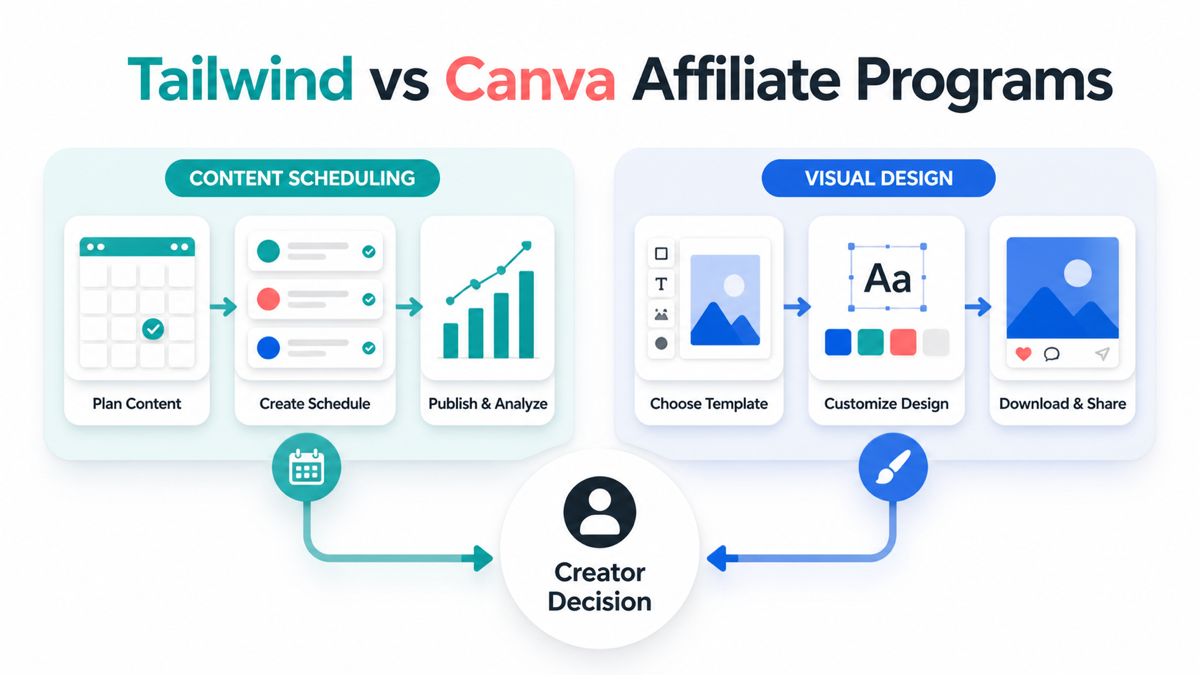
Tailwind and Canva solve different creator problems, so Tailwind vs Canva affiliate programs should be compared as workflow choices rather than as two interchangeable software offers. Tailwind is built around planning, scheduling, publishing, and measuring content. Canva is built around creating visual assets that can be published across channels.
That difference changes the best audience, content format, promotion channel, and conversion path. Tailwind may fit a creator who teaches Pinterest planning or social publishing. Canva may fit a creator who teaches thumbnails, templates, brand assets, or visual content production. Verify current rates, approval routes, and access before publishing exact terms.
Quick Verdict: Tailwind or Canva?
| If your audience needs | Better starting fit | Why |
|---|---|---|
| A repeatable Pinterest publishing plan | Tailwind | Scheduling and analytics are the main job |
| Templates, pins, thumbnails, or panels | Canva | The visual result is easy to demonstrate |
| A complete creator workflow | Both, in sequence | Create assets first, then plan distribution |
| A broad beginner recommendation | Canva | The first use case is easier to see |
| A traffic and publishing system | Tailwind | The content can lead to a measurable schedule |
The Tailwind affiliate program and Canva affiliate program can both fit creator content, but their buyer questions are different. Start with the question your audience is already trying to answer.
What the Current Program Information Shows
Tailwind's current affiliate page describes up to 25 percent recurring commission, with published Silver, Gold, and Platinum tiers at 15, 20, and 25 percent. It also describes Impact tracking, a 10 dollar minimum balance, and payments after the required validation period. Treat the page and your dashboard as controlling because tiers, plan eligibility, and program access can change.
FindAffiliates currently lists Canva at 25 percent and does not list a cookie duration. Canva's official affiliate information supports website, social, and video education routes, but access can vary by region or partner path. Do not turn a directory percentage into a guaranteed result, and do not assume an open application is available to every creator.
For a useful third benchmark, the SocialPilot affiliate program and Metricool affiliate program show how a creator comparison can expand into scheduling, analytics, and multi-network management. In Tailwind vs Canva affiliate programs, these alternatives help test whether the audience really needs design, publishing, or measurement first.
Tailwind: Promote the Publishing System
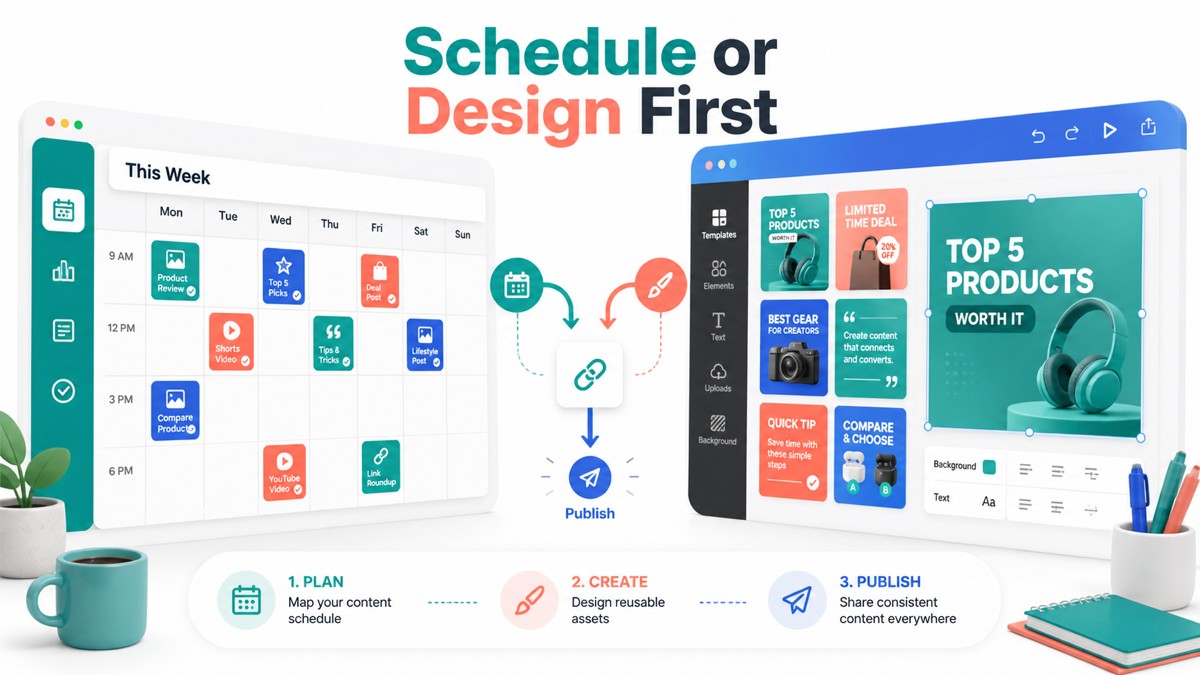
Tailwind is the stronger fit when the reader's problem is consistency after the asset already exists. Useful topics include planning a week of Pinterest content, building a repeatable publishing calendar, reviewing post performance, or turning one article into a set of scheduled visual posts.
The best affiliate content makes the schedule visible. Start with an input such as a blog post or product guide, show how content is organized, and explain which metrics change the next publishing decision. Avoid presenting scheduling as a substitute for a clear offer, strong creative, or audience research.
Tailwind content also has a natural measurement story. You can compare planned versus published content, review the time saved, and identify which posts deserve a refresh. The affiliate call to action belongs after the workflow proof, not before the reader understands the recurring task.
Tailwind audience fit
Tailwind works best for Pinterest educators, bloggers, ecommerce publishers, and creators who already have a library of visual content. It is less compelling when the audience has no repeatable publishing habit or only needs one image.
Use a qualification line in the article: choose Tailwind when distribution and consistency are the bottleneck. That sentence prevents the comparison from becoming a generic software ranking.
Canva: Promote the Asset Creation Job
Canva is the stronger fit when the reader needs to make a visual asset before worrying about distribution. Useful topics include Pinterest pins, stream panels, thumbnails, lead magnets, media kits, presentation slides, and product graphics.
The best Canva content shows a before and after. Start with the content brief, use a reusable template system, export the correct formats, and explain how the same visual idea can be adapted without making every image identical. A viewer should leave with a finished asset or a clear reason to try the workflow.
Canva also supports broader discovery content because the output is easy to see. A tutorial, template review, or comparison can reach creators who are not yet searching for scheduling software. That can produce a larger audience, but the intent may be less qualified than a reader actively searching for a publishing system.
Canva audience fit
Canva fits visual educators, social media managers, small businesses, course creators, newsletter publishers, and affiliate sites that need repeatable design assets. It is less compelling when the audience already has a mature design system and needs distribution analytics instead.
Use the Canva vs Adobe Express affiliate comparison when the buyer is choosing between visual tools. Keep this comparison focused on the affiliate workflow and the sequence between creation and publishing.

Tailwind vs Canva Affiliate Programs by Content Format
The content format should match the product's strongest proof:
| Format | Tailwind angle | Canva angle |
|---|---|---|
| Tutorial | Build and review a publishing schedule | Create a reusable visual set |
| Comparison | Scheduling time, analytics, and repeatability | Templates, output formats, and design speed |
| Listicle | Tools for Pinterest planning or content distribution | Tools for pins, thumbnails, and creator graphics |
| Case study | Before and after publishing consistency | Before and after asset production |
| Resource page | Link after a planning workflow | Link after a finished design workflow |
If the article sends a reader to Tailwind before explaining the content system, the recommendation feels premature. If it sends a reader to Canva without showing a design job, it feels generic. Build the evidence first, then place the relevant link.
The broader affiliate programs for Pinterest beginners guide covers both products within a wider list. This page should stay narrower by deciding which workflow comes first and how the affiliate content can prove that choice.
Promotion, Access, and Conversion Differences
Tailwind is naturally promoted through Pinterest planning guides, content calendars, workflow comparisons, and analytics tutorials. The reader is often closer to a system decision and may care about recurring economics, channel access, and whether the schedule can be maintained.
Canva is naturally promoted through visual tutorials, template walkthroughs, thumbnail reviews, and design comparisons. The reader may click after seeing a finished output, so screenshots, before and after examples, and clear use cases matter more than an abstract feature list.
For either program, check whether your traffic source is allowed, whether the current application route is open, how attribution is recorded, and which plan or customer event is commissionable. Keep the date of the check in your research notes. If a rate or cookie is not public, say so.
The best affiliate programs for content creators article gives category context, but this comparison is more useful when it helps one creator choose the next workflow to teach.
When to Include Both in One Content System
Using both can make sense when the audience creates a steady stream of visual content. Canva can support the asset stage, while Tailwind can support the planning and distribution stage. Explain the handoff clearly:
- Define one reader or buyer job.
- Create a small set of reusable visual assets.
- Schedule the assets with a consistent naming and tracking system.
- Review performance and refresh the best ideas.
Do not bundle both products just to add more links. The reader should understand why each tool exists, what can be done without it, and where a simpler workflow is enough. A two-tool recommendation is strongest when the handoff removes a real bottleneck.
Common Mistakes in This Comparison
The first mistake is treating Tailwind and Canva as direct substitutes. One mainly supports distribution and planning. The other mainly supports visual creation. A second mistake is quoting a rate without checking current access, plan rules, or attribution.
Avoid calling a broad Canva tutorial a high-intent Tailwind comparison, and avoid calling a publishing dashboard a design tool. Use a specific audience, show the relevant work, and label unknown terms. The article should still be useful if the reader chooses neither program.
Key Takeaways for Tailwind vs Canva Affiliate Programs Compared in 2026
Tailwind vs Canva affiliate programs is a choice between promoting a repeatable publishing system and promoting the visual production work that feeds it. Choose Tailwind when scheduling and measurement are the bottleneck. Choose Canva when the audience needs better assets. Use both only when the workflow has a clear handoff.
Use FindAffiliates to research current program details, then confirm terms, access, and traffic rules with each official partner route before publishing.
FAQ
Is Tailwind or Canva better for Pinterest affiliate content?
Canva is usually the better starting fit when the reader needs pins or templates. Tailwind is stronger when the reader already has assets and needs scheduling, publishing, and measurement.
Can I promote both programs in one article?
Yes, if the article explains a real creation-to-distribution workflow. Separate each use case, show the handoff, and avoid adding a second link without a reader benefit.
Does Canva have a recurring affiliate commission?
Do not assume a recurring structure from a directory listing. Check the current partner route and dashboard before making a claim about commission type, duration, or renewal.
What should I compare before joining either program?
Compare audience fit, approved traffic sources, plan eligibility, commission event, cookie or attribution rules, payout timing, minimums, and the evidence you can show in content.