Amazon OneLink Setup: 8 Checks for Global Traffic in 2026
Follow this Amazon OneLink setup checklist to check marketplace accounts, tracking IDs, redirects, link formats, reporting, and international payments.
On this page (13)
What Should You Compare Before Choosing?
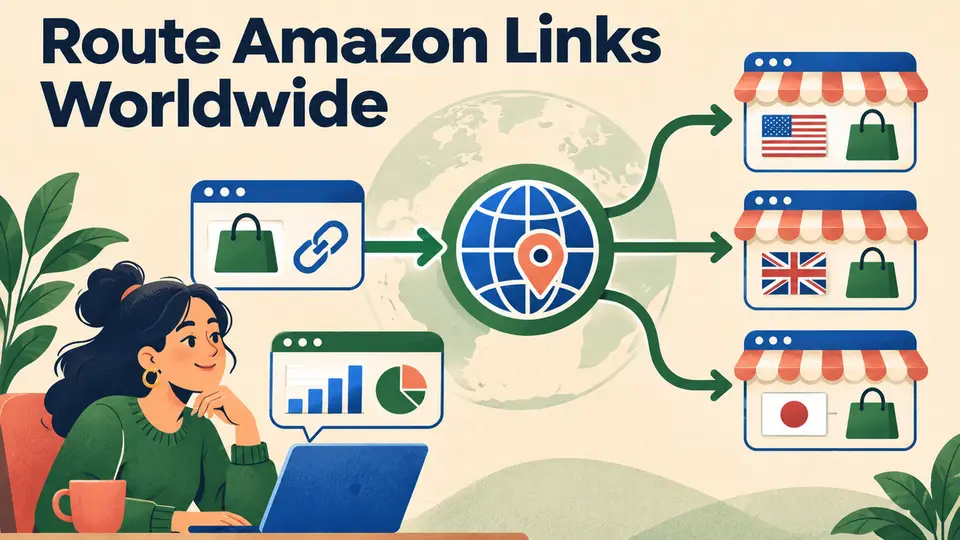
Amazon OneLink setup connects eligible Amazon Associates stores so some international visitors can reach a local Amazon storefront from an Amazon link. It is a routing feature, not a universal fix for every country, product, link format, or payment setup. Before changing links, check the current marketplace support and settings in your own Associates account. A careful Amazon OneLink setup also records which content pages and tracking IDs are being changed.
Amazon's current US OneLink help page describes the supported marketplace groups, redirect choices, accepted Amazon link formats, and reporting differences. This guide turns those details into eight checks for publishers. Treat the help page and your account settings as the final source because Amazon can change its country support and dashboard steps.
Quick answer: eight checks before relying on OneLink
| Check | Confirm |
|---|---|
| 1. Traffic | Which countries send qualified visits to your content |
| 2. Markets | Whether the destination market is supported and needs its own account |
| 3. Store IDs | Which IDs are linked and which tracking ID is the default |
| 4. Redirect choice | Close match, exact match, or no redirect for each ID |
| 5. Product match | What the current matching tool sends a sample link to |
| 6. Link format | Whether the link uses an Amazon full or Amazon short URL |
| 7. Reporting | Where country-level clicks and earnings will appear |
| 8. Payment details | Whether each required market has current tax and payout information |

1. Start with the countries your audience actually visits from
Use your site, video, or newsletter analytics to identify where readers are located. Prioritize countries that already send meaningful visitors to product pages, rather than adding every marketplace because it appears in a setup menu. A click from a country does not prove that the same product is available locally or that a purchase will qualify.
Write down the source page, destination country, and type of content. This makes it easier to compare a link's intended storefront with what the visitor sees. If the audience spans many countries, begin with the top few destinations and expand only after you can monitor them.
2. Confirm each marketplace and account requirement
The current Amazon US help page groups Canada with the EU5 marketplaces, which it names as the United Kingdom, Spain, Germany, France, and Italy. It says those markets can use a simplified setup with one store ID. For its other listed OneLink marketplaces, it says an Amazon Associates account is needed in each country where you want to monetize traffic. This is specific to Amazon's documented setup and can change.
Check the live OneLink help page for the exact current list before following older tutorials. Confirm that each destination store is open and that the account is in good standing. Do not assume that a neighboring country or a marketplace shown elsewhere on Amazon's site automatically qualifies for the same OneLink flow.
3. Link the right store IDs and tracking IDs
Make an inventory of the store IDs you use in each Associates account. Link only the accounts you can access and verify. Amazon's reporting guide says eligible store IDs can be linked in account settings, and that a primary user may be needed to manage the operation. It also identifies a setting for default tracking IDs for international clicks.
Redirect preferences are configured at tracking-ID level. If your site uses separate IDs for a review section, video channel, or newsletter, confirm the preference for each one rather than checking only the default. Keep a private record of the ID, country, date checked, and reason for the setting.
4. Choose the redirect behavior for each tracking ID
Amazon documents three choices: “Close match,” “Exact match,” and “Do not redirect.” Its help page says close match is the default. Depending on the setting and product availability, a visitor may reach a matching local product page, a local search result, or the original Amazon storefront.
Choose based on the promise made by the content. A precise product review may need an exact-match standard so the reader is not sent to a substitute without a clear reason. A broad buying guide may be able to send visitors to a relevant local match, but the page should explain what buyers may see. Do not assume one preference is best for every page or tracking ID.
5. Preview product matches before changing top links
Use Amazon's Check Matching Products section to preview how a US product link may resolve for an international visitor. Test the products that matter most to your top pages, including an item with common variations such as size or color. Record whether the result is the exact item, a similar item, a local search page, or the original store.
If a product is unavailable or the match is confusing, update the page copy so it does not promise a destination the link may not deliver. Keep a small sample of checked URLs and the date of review. A single successful preview is not proof that every product on a long list will match correctly.
6. Use a supported link format
Amazon's current help says OneLink can work with Amazon full links or Amazon short links after the one-time setup. It says links shortened by third-party services are not currently supported for redirection. If a link is routed through a link manager, redirect plugin, or custom domain, verify the final behavior before changing the whole site.
Avoid replacing many links at once without keeping a recoverable list of the original destinations. Start with a small, important group of pages, confirm that the affiliate tag and product destination remain appropriate, and then expand. Keep the visible destination clear to readers.
7. Know where each country's results will appear
Amazon says redirected earnings use the standard commission table for the destination Associates program. Its example is a UK shopper who clicks a US Amazon link and buys on the UK storefront, with the UK program's rate applying. Rates and qualifying rules differ by country, so compare the current country-specific terms rather than carrying over a US rate assumption.
The reporting location also depends on the marketplace group. Amazon describes consolidated summary reporting for Canada and EU5 countries, while the other listed markets have a Geo-redirected Traffic section in their international portals. Its reporting guide says linked stores can be viewed together while detailed reports remain available by store ID. Record the country and tracking ID when you review a result.
For a rate comparison, see Amazon Associates Canada vs UK commission rates. For broader tracking practices, use how to track affiliate links and commissions. If a link will appear in a message, first review Amazon affiliate links in email and the current rules for that channel.
8. Confirm payment details and keep a dated audit record
A redirect does not settle payment or tax setup for you. Amazon's help page says earnings must meet each country's minimum payment threshold and advises publishers to check account notifications and the required payment and tax information for each market. Review those details before treating international clicks as expected earnings.
Keep a small audit table with the original URL, content page, expected destination market, tracking ID, preview result, link format, report location, and date checked. Revisit the list after a major content update, account change, storefront closure, or report that no longer matches expectations.
OneLink also does not localize links for other retailers. If your content compares marketplaces, review those programs separately, including the Walmart affiliate program, Target affiliate program, and Etsy affiliate program. Each has its own application route, geographic coverage, tracking, and payout terms.

Mistakes to avoid
- Assuming every international country is supported by the same OneLink account flow.
- Expecting a matching product page when the item is unavailable in the visitor's store.
- Applying one redirect preference to every tracking ID without checking the page context.
- Using a third-party shortened link and assuming Amazon will still route it.
- Comparing international earnings with one country's rate or payout threshold.
- Treating a redirect preview as proof that a later purchase will be attributed.
Key Takeaways for Amazon OneLink Setup: 8 Checks for Global Traffic in 2026
A dependable Amazon OneLink setup starts with real audience countries, verified store IDs, deliberate redirect preferences, and a small set of tested links. Save the date and sample destinations from each Amazon OneLink setup review so a later change is easy to compare. Check the current Amazon help page and marketplace account before changing a high-traffic page, then review country-level reports and payment settings on a schedule. For more program research, browse the FindAffiliates directory and verify the terms that apply to each retailer.
FAQ
What is Amazon OneLink?
Amazon OneLink is an Associates feature that can route eligible international visitors from an Amazon link toward a supported local Amazon storefront. The route depends on the marketplace, tracking-ID settings, link format, and product match.
Which countries can use the same Amazon OneLink store ID?
Amazon's current US help page describes a simplified single-store-ID setup for Canada and the EU5 markets: the United Kingdom, Spain, Germany, France, and Italy. It says accounts for the other listed OneLink markets are needed individually. Check the live help page before setup.
Does Amazon OneLink use US commission rates for international purchases?
No. Amazon says redirected earnings use the standard commission income table for the destination Associates program. Check that country's current rates, qualifying rules, and payment threshold.
Can OneLink redirect a third-party shortened Amazon URL?
Amazon's current help says third-party shortened links are not supported for OneLink redirection. It documents Amazon full links and Amazon short links after setup, so verify any link manager or redirect layer separately.