Affiliate Payout Dispute Root Cause Analysis 8 Causes
Use affiliate payout dispute root cause analysis to trace recurring billing, attribution, refunds, rules, approvals, thresholds, and payout failures.
On this page (8)
What Should You Compare Before Choosing?
Affiliate payout dispute root cause analysis helps a SaaS team answer a harder question than who is right: which system or rule created the difference? A dispute can start with attribution, billing, commission logic, approval status, or the final payment rail. Treating every case as a support issue hides the fix.
This eight-cause diagnostic separates the event chain into evidence points. It is for program owners, finance, partner operations, and engineering teams. It does not set universal commission rates, payout dates, thresholds, or hold windows. Those terms are program-specific and may be unknown until current agreements and dashboards are checked.
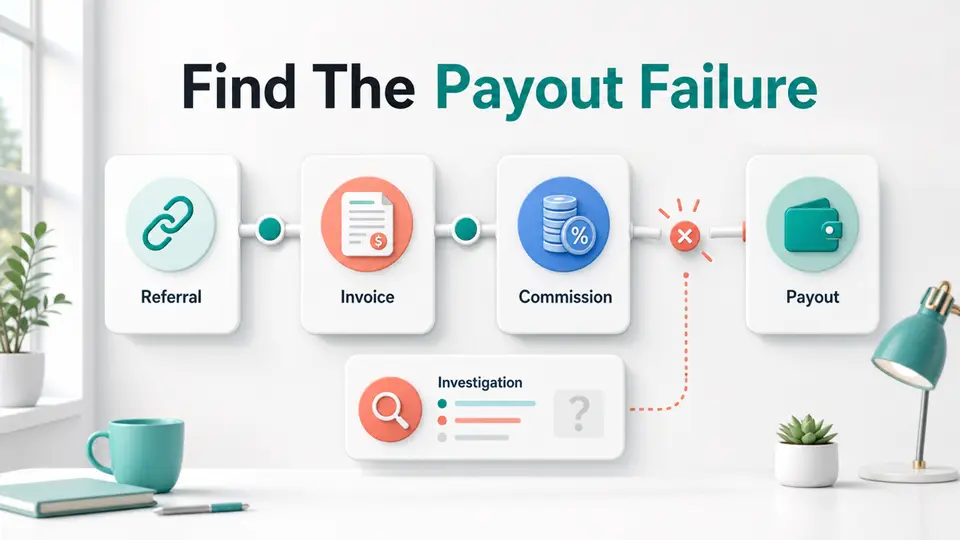
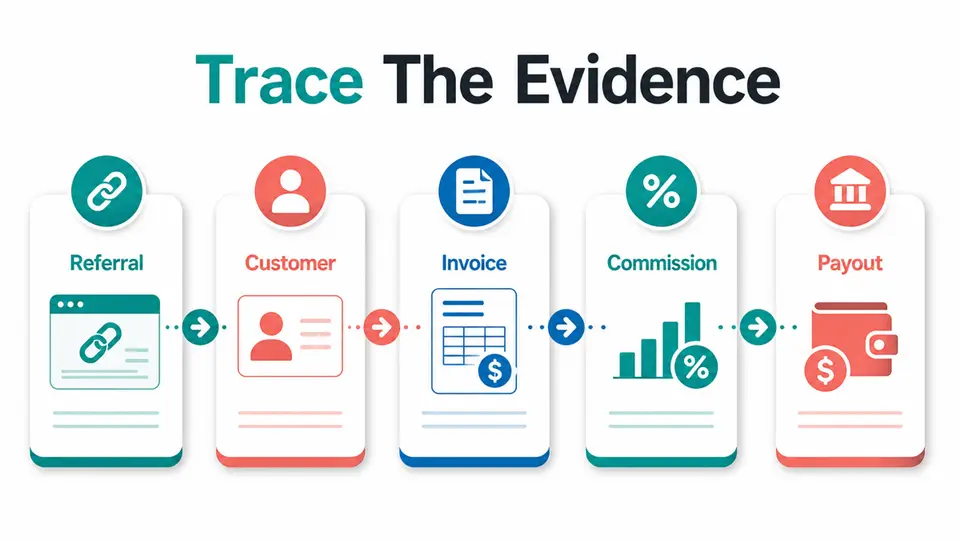
Start with one disputed record and trace the referral, customer, billing event, commission, approval, payout, and settlement IDs. Fix the first verified break, not the loudest symptom.
Quick Answer: Where Should a Payout Investigation Start?
An affiliate payout dispute root cause analysis should trace one case from the referral or click through customer identity, qualifying payment, commission status, payout file, and settlement result. The root cause is the earliest verified break that explains the downstream difference. If two systems disagree, preserve both values and record which system is authoritative for that field.
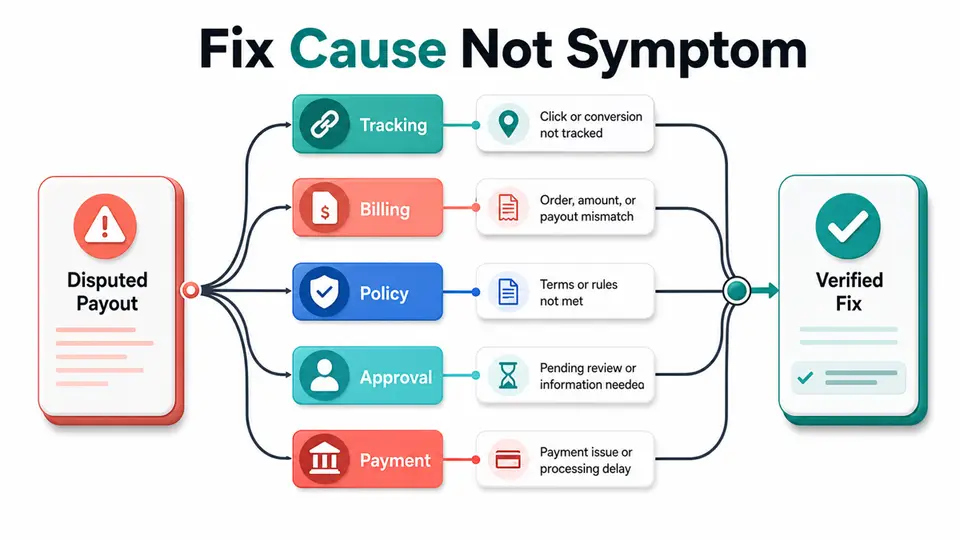
| Cause family | Visible symptom | First proof to request |
|---|---|---|
| Identity | Renewal is not attached | Customer and subscription IDs |
| Billing event | Paid invoice has no commission | Payment and event delivery record |
| Reversal | Approved amount changed | Refund, chargeback, or cancellation ID |
| Rule scope | Amount differs from expectation | Campaign and product rule version |
| Attribution | Another partner receives credit | Click, coupon, and referral timeline |
| Approval | Commission exists but is unpaid | Status history and hold reason |
| Eligibility | Balance is approved but not sent | Threshold, payout account, and failure code |
| Period logic | Export totals do not match | Time zone, currency, and query filters |
How We Define a Root Cause
The billing system and affiliate platform may each be correct about a different stage. Stripe's subscription webhook documentation describes asynchronous invoice and subscription events, including paid and failed invoices. FirstPromoter's tracking API documentation exposes separate tracking paths for sales, refunds, and cancellations, with event-level deduplication and recurring commission scheduling.
That evidence supports a simple rule: compare events, not only dashboard totals. A dashboard number can be the result of several filters and status transitions. A customer ID, invoice ID, conversion ID, commission ID, and payout ID let the team test each handoff.
Affiliate Payout Dispute Root Cause Analysis: The Eight Causes
1. Customer or subscription identity mismatch
Recurring commissions fail when the billing record and affiliate record use different customer or subscription identifiers. Email addresses can change, duplicate accounts can exist, and a migration can replace a source ID with a provider ID.
Compare the original referral, customer ID, subscription ID, invoice ID, and commission record. If the IDs do not join cleanly, do not guess from the email address. Create an explicit mapping, preserve the original identifiers, and test a renewal with the same stable customer key.
2. A paid billing event never reached commission tracking
A customer may have a paid invoice while the commission system never receives the event that should create or extend the commission. Causes include a failed webhook, an endpoint change, a missing event subscription, a filtering rule, or a queue that stopped after accepting the request.
Compare the billing provider's event log with the tracking platform's conversion record. Check delivery status, response code, event type, and processing time. If the event exists but the commission does not, replay or backfill only after confirming idempotency and the program rule for late events.
3. Refund, chargeback, or cancellation state diverged
The dispute may reflect a real reversal rather than a missing commission. A refund can arrive after approval, a partial refund can change the amount, or a cancellation can stop future recurring commissions while leaving an earlier period valid.
Compare the payment, refund, chargeback, cancellation, commission, and payout records. Read the governing rule before changing the amount. If the public policy or dashboard does not explain the treatment, mark the commercial term unknown and ask the platform or finance owner to confirm it in writing.
4. Commission rule scope changed or was applied wrong
The expected amount may use the wrong plan, product, region, customer type, coupon, campaign, or effective date. A program can also limit recurring payments or exclude taxes, discounts, refunds, or certain traffic sources.
Capture the rule version that applied when the referral qualified. Compare it with the current rule, the transaction line items, and the partner's approved terms. A rate shown today does not prove what applied to an older conversion, so retain dated configuration evidence.
5. Attribution was overwritten or never attached
The customer may have clicked more than one link, used a coupon, changed devices, or crossed domains before paying. A last-click rule, missing cookie, redirect change, or unlinked code can move credit to another partner or leave the order unattributed.
Build a timeline with referral code, click ID, landing page, device or session evidence where available, coupon, signup, and payment time. Then compare the program's attribution rule with the actual path. Do not promise a correction until the rule and the evidence agree.
6. Approval or hold status blocked a valid commission
The commission can exist and still be unavailable for payout. Pending, due, approved, paid, voided, or held statuses mean different things, and teams sometimes describe all of them as missing money.
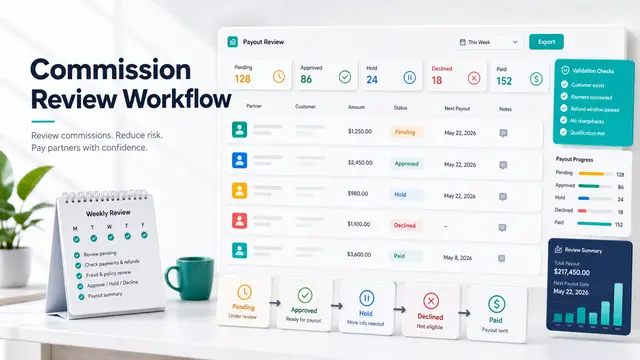
Read the complete status history and the reason attached to each transition. Check the program's refund window, review rule, fraud process, and minimum balance without assuming a universal value. Separate a valid commission that is still pending from a commission that was rejected or voided.
7. Payout eligibility or payment rail failed
An approved balance may not reach the partner because the threshold was not met, required tax or payment data is missing, the country or currency is unsupported, or the payout provider returned an error. This is a payout-operations cause, not automatically a tracking failure.
Compare the approved balance, eligibility date, payout batch, account verification state, destination, currency, and provider error. Record the exact failure and the next owner. Keep thresholds, payment timing, and supported rails marked unknown until current program terms or account settings confirm them.
8. Period cutoffs, currency, or export logic created a false difference
Two totals can differ even when every commission is correct. Time zones, billing periods, payout periods, currency conversion, rounding, tax treatment, CSV filters, late events, and duplicate rows can place the same transaction in different reporting windows.
Re-run both reports with the same date range, time zone, currency basis, status filter, and unique IDs. Compare gross and net values line by line. If the totals reconcile after the filters match, document a reporting defect instead of changing commissions.
How to Use the Finding
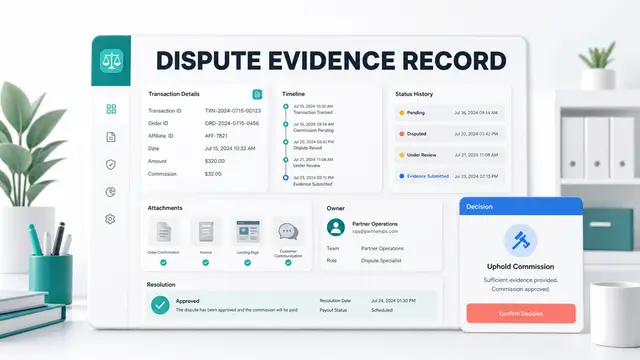
Freeze the disputed record before editing it. Save the source values, timestamps, status history, rule version, and evidence location. Name one root cause only when a test can reproduce the difference; list secondary contributors separately. If the case is still uncertain, state what is unknown and what evidence would resolve it.
Use the affiliate payout dispute response templates for partner-facing wording after the finding is clear. Use the affiliate payout dispute SLA examples to set communication targets, and the affiliate payout dispute escalation matrix to route cases that need finance, fraud, engineering, leadership, or platform support. Those resources support the investigation, but they do not replace the evidence chain.
For platform comparisons, the Rewardful affiliate program, FirstPromoter affiliate program, and Tapfiliate affiliate program pages are useful starting points. Confirm current integrations, terms, and payout behavior in each platform's official documentation before relying on a directory summary.
Evidence Table for a Defensible Finding
| Finding | What it proves | What it does not prove |
|---|---|---|
| Missing paid event | A handoff failed or is incomplete | That the partner should be paid automatically |
| Reversal event | The transaction changed state | That every commission should be fully removed |
| Rule mismatch | The expected calculation used the wrong scope | That the current rate was valid historically |
| Status hold | The commission is not yet eligible | That the commission was rejected |
| Payout failure code | The payment step did not complete | That the underlying commission is invalid |
| Matching exports | The reported totals use the same basis | That the policy itself is fair or complete |
Use the smallest claim supported by the record. This keeps partner communication accurate and gives engineering or finance a testable repair instead of a broad accusation.
Key Takeaways for Affiliate Payout Dispute Root Cause Analysis 8 Causes
Affiliate payout dispute root cause analysis works when the team traces the first verified break from referral to settlement. Compare stable IDs, billing events, reversals, rule scope, attribution, status, payout eligibility, and reporting periods. Mark commercial terms unknown when the current agreement or dashboard does not support a claim, then document the owner, test, and evidence needed for closure. Pair the finding with the FindAffiliates directory when you need to compare program pages, but let current agreements and platform docs control.
FAQ
What is the first record to check in a payout dispute?
Start with the disputed commission or payout line, then collect the referral, customer, transaction, status, and settlement identifiers that connect it to the billing record. One complete record is more useful than a dashboard total.
Is a missing commission always a tracking bug?
No. The commission may be pending, reversed, outside the rule scope, below a threshold, or included in a different reporting period. Trace the full event chain before labeling the cause.
Which IDs matter for recurring SaaS commissions?
Use the identifiers that connect the referral to the customer, subscription, invoice or payment, conversion, commission, payout batch, and settlement. The exact field names depend on the billing and affiliate platforms.
How should a team handle an unknown payout term?
Do not infer it from a competitor or an old screenshot. Mark it unknown, preserve the current agreement and dashboard evidence, and ask the program or platform owner to confirm the rule before changing a partner balance.
When should a payout dispute become an engineering issue?
Escalate when the evidence shows a missing or duplicated event, broken identifier mapping, non-idempotent replay, failed backfill, or report logic that cannot reproduce the expected total. Keep the business decision separate from the technical repair.